
Buying a Stylus Pen: A Practical Guide for Tablets and Laptops
Whether you're quickly jotting down notes during a lecture, creating a piece of digital art, or simply want to navigate your tablet with more precision, your finger often isn't the most practical tool. A stylus pen delivers the precision you need. But with so many choices, from the advanced Apple Pencil to a universal stylus pen, it can be tricky to find the right one.
As a Joybuy Product Recommendation Officer, I'll help you cut through the marketing jargon. In this article, you'll find practical tips and a selection of popular models, so you can make an informed choice that suits your device and needs.
What to Look for When Buying a Digital Pen?
Before you make a choice, there are a few key points to consider. This will help you avoid making the wrong purchase and ensure you choose a pen that truly works for you.
1. Compatibility Is the Most Important Factor
Not every stylus pen works on every device. Manufacturers use different technologies.
- Apple Pencil: Exclusively designed for specific iPad models. Always check which generation of Pencil is compatible with your stylus for iPad.
- Microsoft Pen Protocol (MPP): Used by many Windows laptops and tablets, such as the Microsoft Surface and certain models from HP, Dell, and ASUS.
- Universal stylus pen: These pens typically work on any capacitive touchscreen (the type of screen found on almost all modern smartphones and tablets). They offer basic functions but often lack advanced features like pressure sensitivity.
2. Active vs. Passive Stylus
An active stylus has built-in electronics and a battery. This enables advanced features such as:
- Pressure sensitivity: The harder you press, the thicker the line. Essential for a drawing stylus for tablets.
- Palm rejection: This allows you to rest your palm on the screen while writing without causing unwanted marks.
- Tilt sensitivity: Change the angle of the pen to shade or vary your lines, just like with a real pencil.
A passive stylus has no electronics and functions as a more precise replacement for your finger. They are simpler and don't require a battery, but they offer no extra features.
Our Top Product Recommendations
Below is a selection of stylus pens that are popular for their specific features and compatibility.
Apple Pencil (2nd Generation)
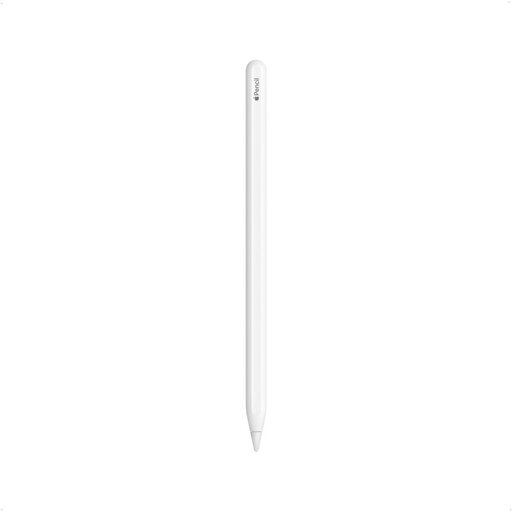
Why It Stands Out The Apple Pencil (2nd Generation) is renowned for its seamless integration with the Apple ecosystem. It attaches magnetically to the side of compatible iPads to pair and charge. The low latency means there's virtually no lag between your movement and the line on the screen, providing a very natural writing and drawing experience.
Pros
- Magnetic pairing and charging: No fuss with cables or loose caps.
- Intuitive controls: Switch tools by double-tapping the side.
- Pixel-perfect precision: Ideal for detailed drawing and note-taking.
- Low latency: Feels like writing on paper.
Who Is It For? For users of compatible iPad Pro, iPad Air, and iPad mini models who need a reliable and perfectly integrated stylus for iPad for creative and productive tasks.
View the Apple Pencil (2nd Generation)
Apple Pencil Pro
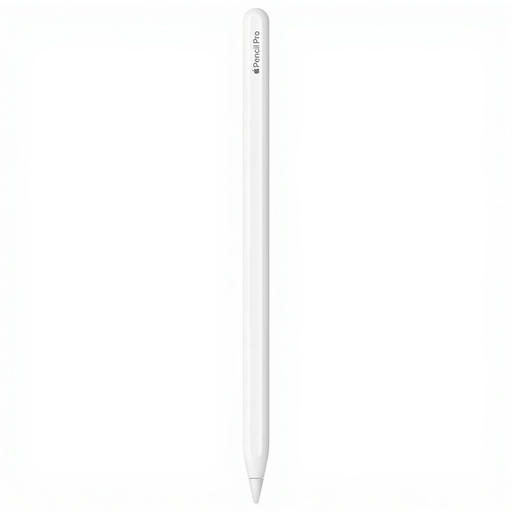
Why It Stands Out The Apple Pencil Pro builds on its predecessor with new, advanced features. A squeeze gesture opens a new tool palette, and rotating the pen (barrel roll) changes the orientation of brushes and pens. Haptic feedback provides a light vibration when you perform an action, making the interaction even more intuitive.
Pros
- Advanced gestures: Squeeze and barrel roll for quick tool changes.
- Haptic feedback: Physical confirmation of your actions.
- Find My integration: Easily locate your Pencil Pro via the 'Find My' app.
- Pressure and tilt sensitivity: Complete creative control.
Who Is It For? For creative professionals and demanding users with the latest iPad Pro (M4) or iPad Air (M2) models, who want to leverage the most advanced features of a digital pen.
HP MPP 1.51 Stylus Pen
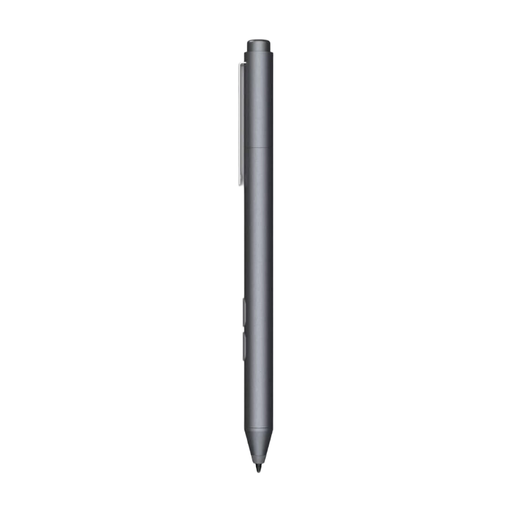
Why It Stands Out This active stylus from HP is designed for devices that support the Microsoft Pen Protocol (MPP). A major advantage is its long battery life; according to HP, the battery lasts up to 18 months. The customisable buttons allow you to set up shortcuts, for example, to activate the eraser function or take a screenshot.
Pros
- Long battery life: Works for up to 18 months on a single AAAA battery.
- Customisable buttons: Set your own shortcuts for more efficient work.
- MPP compatibility: Works with a wide range of HP and other Windows devices.
- Natural writing experience: The fine tip ensures precision when writing and drawing.
Who Is It For? For students and professionals who use a Windows laptop or tablet with MPP support and need a reliable pen for notes, signing documents, and light creative tasks.
View the HP MPP 1.51 Stylus Pen
Rexsun Universal Stylus Pen
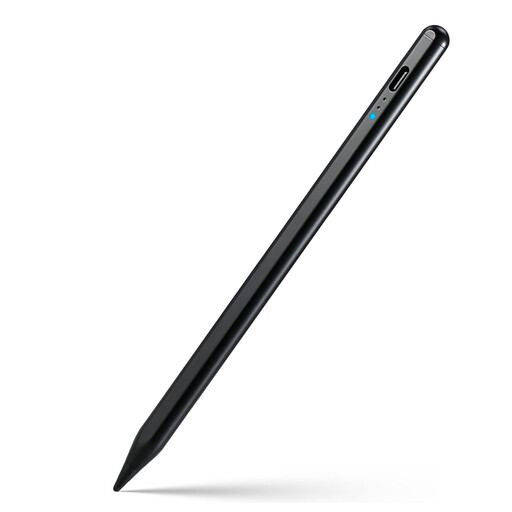
Why It Stands Out The Rexsun stylus is a universal stylus pen that works with virtually all touchscreen devices, including iPads, Android tablets, and smartphones. No pairing is required; just turn it on and you can start immediately. It offers features often found only in more expensive models, such as tilt sensitivity and palm rejection, making it a compelling choice for its price.
Pros
- Universal compatibility: Works on most iOS and Android touchscreens.
- No pairing required: Turn it on and use it instantly.
- USB-C charging: Quickly charges for 8-10 hours of use.
- Magnetic attachment: Can be attached to the side of many tablets.
Who Is It For? For users looking for an affordable and versatile pen for general use across different devices. Ideal for notes, light sketching, and navigation, without being tied to a single brand.
View the Rexsun Universal Stylus Pen
Can't Find What You're Looking For?
The world of stylus pens is vast, and many more options are available to suit specific devices, budgets, and needs. If the recommendations above don't quite match what you're looking for, take a look at our wider range.
Discover more tablet accessories
Frequently Asked Questions
1. Does every stylus pen work on every tablet? No, compatibility is crucial. Apple Pencils only work with specific iPads. Many Windows devices use the MPP protocol. Universal active styluses work on most touchscreens but may not offer all features on every device. Therefore, always check the specifications of both the pen and your tablet or laptop.
2. What is the difference between an active and a passive stylus? An active stylus has a battery and internal electronics for features like pressure sensitivity, tilt detection, and programmable buttons. A passive stylus is essentially a piece of plastic or metal with a rubber or fabric tip that mimics the touch of your finger. It doesn't need a battery but also offers no extra features.