
Smartphone Gimbal: A Practical Guide to Stable Videos in 2026
Shaky and unstable videos can significantly diminish the quality of your content. A common pitfall is purchasing a gadget that is too complicated or fails to deliver on its promises. A good phone stabilizer can be the difference between an amateur shot and a professional-looking video. This guide will help you make an informed decision based on specifications and real-world usability.
What to Look for When Buying a Gimbal
Before making a choice, it's helpful to understand a few key specifications. These parameters determine how the gimbal performs and whether it's suitable for your needs.
- Stabilization Axes: Most gimbals offer stabilization on either two or three axes. A 3-axis gimbal corrects movements on the pan (left/right), tilt (up/down), and roll axes. This delivers the smoothest footage, especially when walking or capturing fast movements. A 2-axis gimbal is often lighter and more compact but offers less correction.
- Portability and Design: For those who travel or vlog frequently, a foldable gimbal is a practical choice. Pay attention to the weight and folded dimensions. A compact model fits more easily into a bag or even a jacket pocket.
- Compatibility and Payload: Check if the gimbal is compatible with your smartphone. Manufacturers typically specify a range for the phone's width, thickness, and weight. This is crucial for both a gimbal for iPhone and a gimbal for Android.
- Battery Life: Long battery life is essential for shooting days without access to a power outlet. An operating time of 6 to 8 hours is common, but some models offer more.
- Smart Features: Modern gimbals often provide extra functionality through a companion app. For instance, a gimbal with tracking (subject following) is ideal for solo creators filming themselves. Other features can include timelapse, panorama, and pre-programmed camera movements.
Our Selection: Popular Gimbals for 2026
Below is a selection of gimbals with a description of their specifications and key features. These recommendations are based on the product parameters provided by the manufacturers.
DJI Osmo Mobile SE Intelligent Gimbal
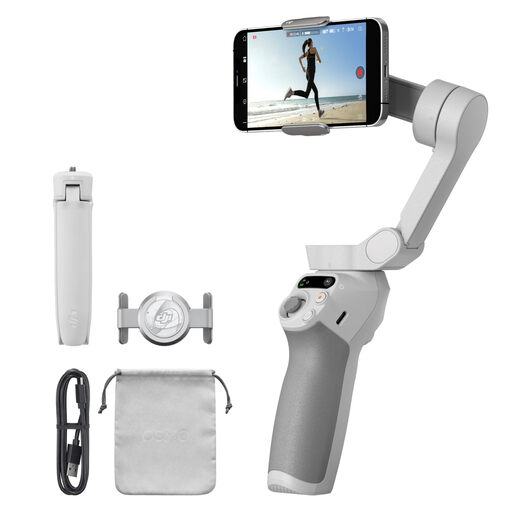
- Why this product: The DJI Osmo Mobile SE is a 3-axis gimbal renowned for its compact, foldable design. The magnetic phone clamp makes attaching and detaching your smartphone quick and effortless. According to DJI, its ActiveTrack 6.0 technology ensures reliable subject tracking, even during fast movements.
- Advantages:
- Stabilization: Advanced 3-axis stabilization for smooth footage.
- Ease of Use: Quick to set up thanks to its foldable design and magnetic clamp.
- Battery: Offers an operating time of up to 8 hours.
- Software: Integration with the DJI Mimo app provides shooting guides and editing features.
- Who is this for: This model is a solid choice for content creators and vloggers looking for a reliable and user-friendly YouTube stabilizer or TikTok gimbal. The combination of portability and smart tracking features makes it a versatile tool for on-the-go creation.
Verbex C16 Smart Mobile Phone Anti-Shake Stabilizer
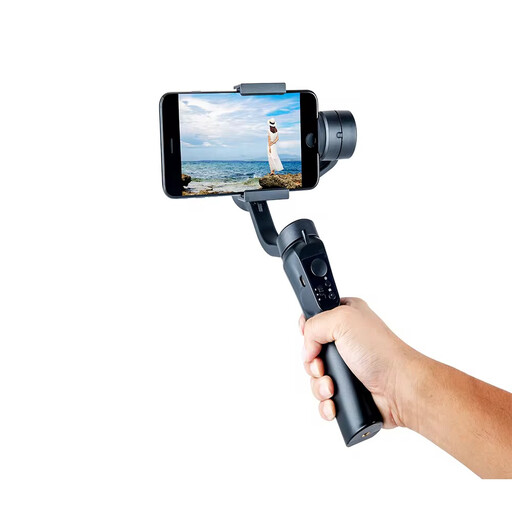
- Why this product: The Verbex C16 is a stabilizer for phone that focuses on portability and simplicity. This model features 2-axis stabilization to reduce major vibrations. It is a foldable model compatible with both Android and Apple devices and is equipped with face recognition.
- Advantages:
- Portability: Its foldable design makes it a compact travel companion.
- Battery: An operating time of up to 8 hours is sufficient for most shooting sessions.
- Features: Includes basic tracking functions and is easy to operate.
- Who is this for: This gimbal is suitable for beginners or those seeking a simple, affordable solution for stabilizing videos. The 2-axis stabilization is functional for static shots or gentle walking movements, making it a great entry-level model for casual gimbal for vlogging.
hohem Smartphone Gimbal Stabilizer
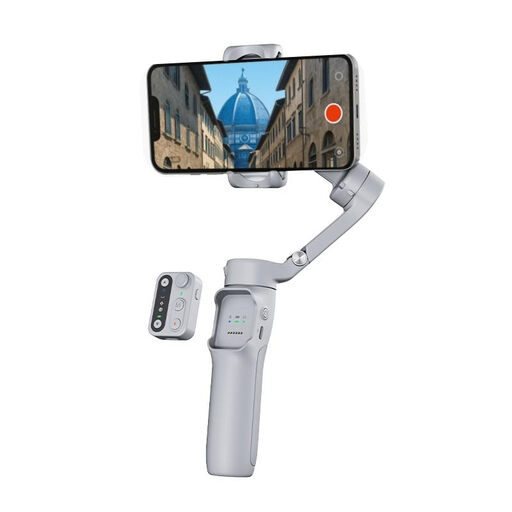
- Why this product: The hohem gimbal stands out with several practical features. It is a 3-axis gimbal featuring, according to the manufacturer, an iSteady 8.0 stabilization system. A notable detail is the detachable remote control, which allows you to start and stop recordings from up to 10 meters away.
- Advantages:
- Battery Life: With an operating time of up to 11 hours, this model is suitable for very long shooting days.
- Flexibility: The detachable remote control is ideal for solo creators who want to film themselves.
- Stabilization: Full 3-axis stabilization for professional-looking results.
- Portability: Despite its features, it is a foldable gimbal that is easy to carry.
- Who is this for: This gimbal is an excellent option for travelers and vloggers who need maximum flexibility and long battery life. The remote control adds an extra layer of convenience, especially for those who often film alone.
Didn't Find Your Match? Explore More Options
Is the ideal gimbal for your specific needs not listed here? The technology is evolving rapidly, and more specialized options are available with different features and at various price points. For a broader overview of stabilizers and other filming tools, you can browse our range of portable cameras.
Frequently Asked Questions about Smartphone Gimbals
1. What is the difference between a 2-axis and a 3-axis gimbal? A 2-axis gimbal stabilizes the tilt (up/down) and roll axes. This is effective for reducing minor vibrations. A 3-axis gimbal adds the pan axis (left/right) to the mix, resulting in significantly smoother footage, especially when walking or tracking a moving subject. For dynamic videos, a 3-axis model is the recommended standard.
2. Do I need an app to use a gimbal? For basic stabilization, an app is usually not required; you can turn on the gimbal and start filming immediately using your phone's native camera app. However, to access advanced features like a gimbal with tracking, timelapse, panorama, and specific camera movements, the manufacturer's companion app is necessary.
3. Is a gimbal also suitable for taking photos? Although a gimbal is primarily designed for video, it can also be useful for photography. It helps in capturing sharp photos in low light (by allowing for longer shutter speeds without motion blur) and in creating perfectly aligned panoramic shots.