
Razer Gaming Mouse Buying Guide: Find the Right Model for You
A good gaming mouse can be the difference between victory and defeat. When searching for a Razer gaming mouse, you'll quickly encounter a wide range of models, each with its own specifications and advantages. Some are ultra-lightweight, while others are ergonomic and packed with features. How do you know which mouse is right for your playstyle and budget?
As a Joybuy Product Recommendation Officer, I'm here to help you get started. In this article, we'll compare several popular Razer mice based on their specifications, so you can make an informed decision without getting lost in marketing jargon.
What to Look for in a Razer Mouse
Before we dive into the models, here are a few key factors to help guide your choice.
1. Wireless or Wired?
The choice between a wired and a wireless gaming mouse is more of a personal preference than ever. A wired mouse offers a consistent power supply and connection, which gives some gamers a sense of security. A wireless mouse, on the other hand, gives you complete freedom of movement without a cable getting in the way. Brands like Razer use advanced technologies such as HyperSpeed Wireless, which they claim provide an ultra-low latency connection, comparable to that of a wired mouse.
2. Weight and Shape
Weight and ergonomics are crucial for comfort and performance.
- Lightweight gaming mouse: Models under 70 grams are popular in competitive shooters (FPS). A lower weight makes quick, sweeping motions easier and can reduce fatigue.
- Ergonomic gaming mouse: These mice are shaped to support the natural posture of your hand. They are ideal for long gaming sessions and are often preferred by MMO and RPG players, or gamers with a palm grip.
3. Sensor and DPI
DPI (Dots Per Inch) indicates the sensitivity of the mouse. A higher DPI means the cursor travels further on the screen with a small movement of the mouse. While an extremely high DPI isn't necessary for everyone, a high-quality optical sensor, like the Razer Focus Pro, is important. It ensures precise and consistent tracking of your movements, without unwanted acceleration or stuttering.
Recommended Razer Gaming Mice
Based on specifications and various user profiles, we have made a selection of noteworthy Razer models.
Razer Viper V3 Pro - Black
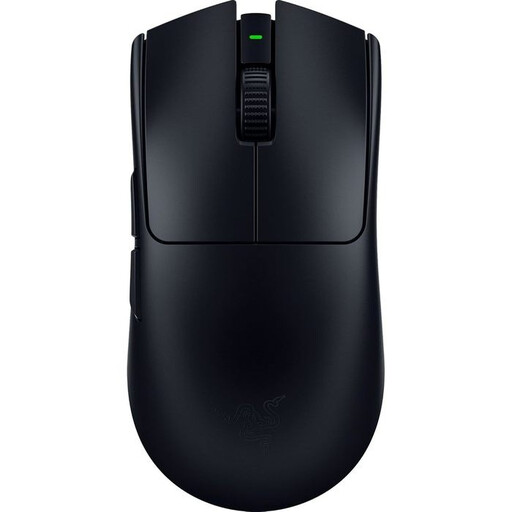
Why It Stands Out The Viper V3 Pro is designed with one goal in mind: competitive performance. With an ultra-lightweight design of just 54 grams, this is one of the lightest wireless mice on the market. This, combined with the Razer Focus Pro 30K Optical Sensor, makes it a popular choice for esports athletes who demand maximum speed and precision.
Pros
- Ultra-lightweight design: For fast and effortless movements.
- Precise sensor: The Focus Pro 30K sensor delivers exceptional tracking, according to Razer.
- Long battery life: Up to 95 hours of gaming on a single charge.
- Symmetrical design: Suitable for both left- and right-handed users.
Who Is It For? The Viper V3 Pro is ideal for the serious FPS gamer and esports athlete looking for a no-nonsense, performance-focused lightweight gaming mouse.
Check out the Razer Viper V3 Pro
Razer DeathAdder Essential 2021 - White Ed.
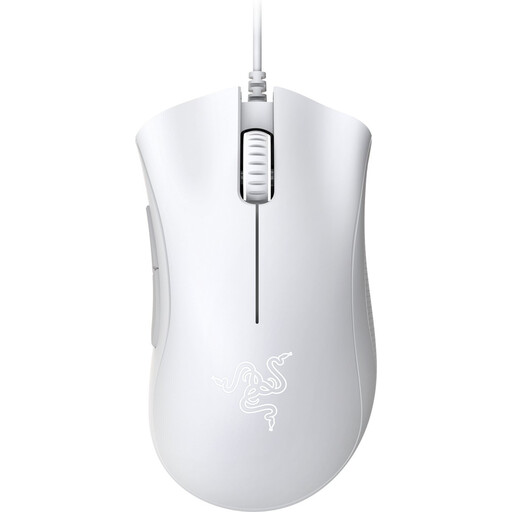
Why It Stands Out The DeathAdder line has long been known for its comfortable, ergonomic shape. The Essential version brings this classic design to a more accessible price point. It's a reliable, wired mouse that focuses on the core features a gamer needs, without complex extras.
Pros
- Proven ergonomic shape: Designed for long-lasting comfort, specifically for right-handed users.
- Reliable performance: Equipped with a 6,400 DPI optical sensor for accurate control.
- Durable: According to Razer, the buttons are rated for a lifespan of up to 10 million clicks.
- Excellent value for money: Offers the classic Razer experience at a competitive price.
Who Is It For? Perfect for beginner gamers, casual players, or anyone looking for a comfortable and affordable ergonomic gaming mouse who prefers a wired connection.
Check out the Razer DeathAdder Essential
Razer Basilisk V3 Pro White
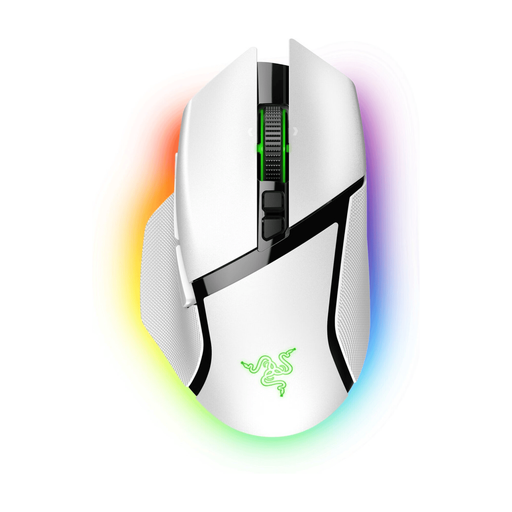
Why It Stands Out The Basilisk V3 Pro is a powerhouse of functionality and customisation. This wireless mouse combines a comfortable, ergonomic shape with an impressive array of features, including 10+1 programmable buttons and the smart HyperScroll Tilt Wheel. This makes it extremely versatile for different game types.
Pros
- Extensive customisation options: Numerous programmable buttons and Razer Chroma RGB lighting.
- High-performance sensor: Features the same Razer Focus Pro 30K Optical Sensor as the Viper V3 Pro.
- Smart scroll wheel: The HyperScroll Tilt Wheel can automatically switch between tactile and free-spin modes.
- Wireless charging: Compatible with the Razer Mouse Dock Pro (sold separately).
Who Is It For? The Basilisk V3 Pro is the choice for the enthusiast gamer who wants it all: top-tier performance, comfort, and maximum control. Ideal for players of MMOs, RPGs, or anyone who loves to personalise their gear down to the last detail.
Check out the Razer Basilisk V3 Pro
Haven't Found the Right Razer Mouse Yet?
The world of Razer is vast, and there are many more models, each with its own unique features. If the options above don't quite match what you're looking for, there's sure to be another model that's perfect for you.
Take a look at our full assortment for more choices.
Discover more options in our gaming accessories category
Frequently Asked Questions about Razer Mice
What is the main difference between the Razer Viper and the DeathAdder?
The primary difference lies in their shape and design philosophy. The Razer Viper has a symmetrical (ambidextrous) design, making it suitable for both left- and right-handed users. It is often lighter and designed for fast, competitive gameplay. The Razer DeathAdder has a distinctly ergonomic shape for right-handed users, focused on maximum comfort during long sessions.
Is a wireless Razer mouse really suitable for competitive gaming?
Yes. Modern wireless technologies, like Razer HyperSpeed Wireless, are engineered to provide a stable, ultra-low latency connection. According to Razer, the responsiveness is comparable to their wired mice, making them an excellent choice for even the most demanding competitive games.
Do I need special software for my Razer mouse?
A Razer mouse works right out of the box without any additional software. However, to take full advantage of all its features, such as customising DPI levels, programming buttons, and configuring the Chroma RGB lighting, the Razer Synapse software is recommended. You can download it for free from the Razer website.