
Choosing the Right Micro SD Card: A Jargon-Free Buying Guide
A full phone? A slow Nintendo Switch? A new drone waiting for its maiden flight? A micro SD card might seem like the simple solution, but the market is a maze of codes and claims. It's easy to overpay for a card that doesn't perform as promised, or worse, one that won't even work in your device.
As a Joybuy Product Recommendation Officer, I see the challenges consumers face every day. Before you make a choice, it's crucial to recognise two common pitfalls that can cost you money.
- The "Maximum" Speed Trap: Manufacturers prominently advertise high read speeds (e.g., "up to 170 MB/s"). This is the speed at which you retrieve files from the card. However, for recording video or taking photos, the write speed is what's critical. This is often lower and less clearly stated, which can lead to stuttering 4K videos or failed recordings.
- Paying for Unnecessary Specs: An extremely fast micro SD card in an older device that can't handle its speed is wasted money. It's like putting a Formula 1 engine in a city car; the car won't go any faster. Compatibility is about more than just whether the card fits.
The Core Specs That Really Matter
You don't need to be a tech expert to avoid a bad purchase. Focus on these three key specifications to find the right memory card for your needs.
1. Capacity and Format: SDHC vs. SDXC
Storage capacity is the most obvious specification. Cards are typically divided into two categories:
- SDHC (High Capacity): Cards from 4GB to 32GB.
- micro SDXC (Extended Capacity): Cards from 64GB to 2TB. Popular choices include micro sd 128gb and micro sd 256gb.
The most important rule here is to check the maximum supported capacity of your device. A camera or smartphone from 2018 might not support cards larger than 128GB. This information is almost always in the user manual or on the manufacturer's website.
2. Speed Classes: Deciphering the Code
The symbols on an SD card tell you everything about its performance. These are the most important ones:
- UHS Speed Class (U-symbol): Indicates the minimum write speed. U1 stands for a minimum of 10 MB/s, while U3 guarantees a minimum of 30 MB/s. For recording 4K video, a U3 classification is generally the recommended minimum.
- Video Speed Class (V-symbol): Specifically designed for video recording. V30 means a minimum write speed of 30 MB/s, which is suitable for most 4K cameras and drones. For higher resolutions or bitrates, look for V60 or V90.
- Application Performance Class (A-symbol): Crucial for smartphones, tablets, and the Nintendo Switch. A1 and A2 indicate how quickly the card can load and run apps and games. A2 offers noticeably faster performance for a smoother user experience.
3. Compatibility: For Which Device?
The right card depends entirely on the device.
- Memory Card for Nintendo Switch: Look for a card with an A1 or A2 classification for fast game loading times. A capacity of 128GB or 256GB is a popular choice.
- SD Card for a Camera (DSLR, Mirrorless): Here, the V-class (like V30) and a high write speed are essential, especially for 4K video and fast photo bursts (burst mode).
- Smartphone/Tablet: An A1-rated card is often sufficient for extra storage of photos and media.
- Drone/Action Cam: These devices require a durable card that is resistant to shocks and temperature changes, with at least a U3/V30 rating for smooth recording.
Our Recommended Product Picks
Based on these objective criteria, we have selected a few cards that fit specific user profiles.
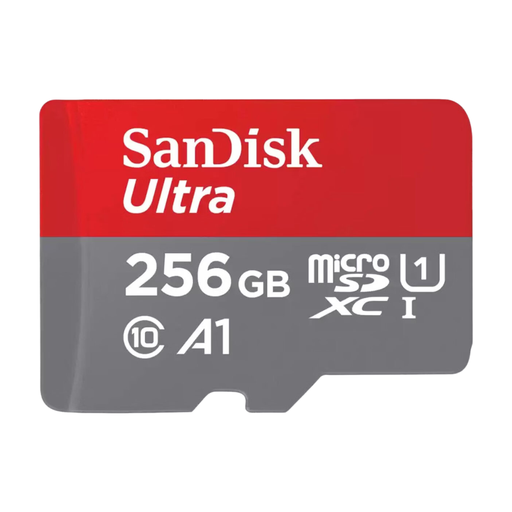
SanDisk Ultra microSDXC Card – 256GB
Why This Fits Their Persona: Ideal for expanding the storage on your Android smartphone or tablet. Plenty of space for thousands of photos, hours of Full HD video, and your favourite apps, without paying for professional video specs you don't need.
This card strikes a good balance. The A1 classification is specifically aimed at app performance, which is more relevant for a phone than an extremely high write speed for 8K video.
Capacity: 256GB offers ample storage for most users. App Performance: A1 rating for smoother app usage from the card.
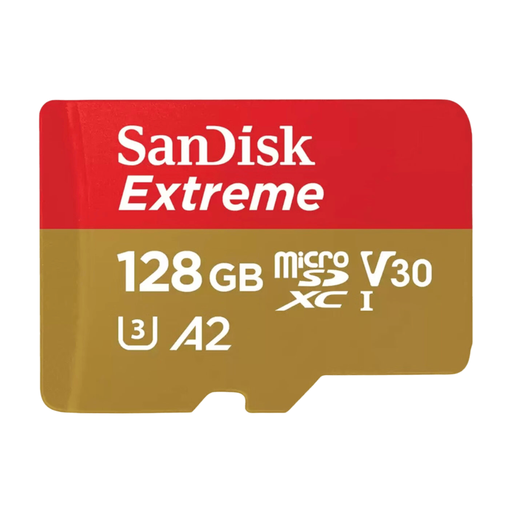
SanDisk Extreme microSDXC Card – 128GB, V30
Why This Fits Their Persona: For gamers, a game's loading time is everything. This card combines a generous micro sd 128gb capacity with an A2 classification, ensuring noticeably faster loading times compared to standard cards.
Instead of focusing on a high video speed (although the V30 rating is perfectly fine), this card prioritises the A2 specification. This is exactly what a console like the Switch needs to run games smoothly.
Fast Loading Times: The A2 classification is optimised for apps and games. Durability: According to SanDisk, the card is shock, temperature, water, and X-ray proof.
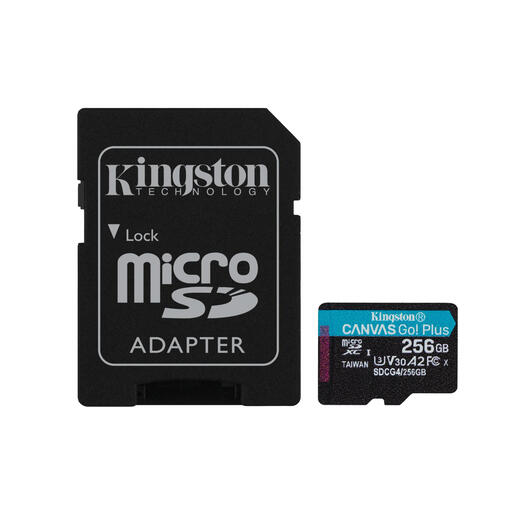
Kingston Technology 256GB microSDXC Canvas Go Plus
Why This Fits Their Persona: For filming with a drone or action cam in 4K, a high and reliable write speed isn't a luxury, it's a necessity. This card is designed for stable performance under demanding conditions.
This card focuses on the right specs: a high write speed (up to 160 MB/s according to Kingston) and the U3/V30 classifications. This guarantees the card can handle the constant data stream of 4K recording without dropping frames.
High Write Speed: Ideal for smooth 4K UHD video. Reliable Classifications: U3 and V30 for guaranteed video performance.
Looking for more options?
We have compiled a complete, up-to-date list of products that fully meet these strict selection criteria and local regulations.
Frequently Asked Questions
What micro SD card do I need for my Nintendo Switch?
For a Nintendo Switch, a micro SDXC card with an A1 or (preferably) A2 classification is a great choice. This ensures that games installed on the card load quickly. A capacity of 128GB or 256GB offers a good balance between price and space for multiple large games.
What is the difference between U1 and U3 on an SD card?
This refers to the minimum guaranteed write speed. U1 guarantees a write speed of at least 10 MB/s, which is sufficient for Full HD video and photos. U3 guarantees a minimum of 30 MB/s, which is recommended for smoothly recording 4K video without stuttering. For 4K recording, a U3 card is therefore a wise choice.
How do I know if a micro SD card is compatible with my camera or phone?
The most reliable method is to consult the manual or the specifications page on the manufacturer's website for your device. Look for "storage," "memory," or "memory card." Here you will find the maximum supported capacity (e.g., "supports up to 512GB microSDXC") and sometimes also recommended speed classes.