
MacBook Pro 14-inch M4 Pro Buyer’s Guide for Professionals
If you're a creative professional or a power user looking for a new laptop, the Apple MacBook Pro 14-inch 2024 is likely on your radar. The investment is significant, and the specifications can be overwhelming. It's easy to overpay for features you won't use, or to skimp on a component that's crucial for your work. This guide will help you see through the marketing hype and make an informed decision.
We'll focus on the pitfalls that are often overlooked:
- The Spec Trap: More isn't always better. A model with the maximum amount of RAM or the largest SSD is tempting, but it's often unnecessary and a major drain on your budget.
- Ignoring the Display: Many buyers focus solely on the processor, but for graphic designers, video editors, and photographers, the screen quality is at least as important. Colour accuracy and brightness are essential for professional work.
- Forgetting Connectivity: A powerful laptop is less valuable if you're constantly fumbling with dongles and adapters. The available ports must match your existing equipment and workflow.
What to Look For: Breaking Down the Core Specs
Before you buy a silver MacBook Pro or consider a special offer, it's important to understand what the specifications mean in practice.
The M4 Pro Chip: More Than Just Speed
The M4 Pro chip is the heart of this professional Apple laptop. But what do specs like a 14-core CPU and 20-core GPU really mean?
- CPU (Central Processing Unit): This is the laptop's brain, responsible for general tasks. A higher core count means the laptop can handle more tasks simultaneously without slowing down. You'll notice this when running multiple demanding applications.
- GPU (Graphics Processing Unit): This component specialises in graphics-related tasks. For a laptop for video editing, a powerful GPU is essential. It accelerates 4K video rendering, working with 3D models, and other visually intensive processes. The 20-core GPU in this model is designed for these kinds of heavy workflows.
Memory and Storage: The Right Balance
The amount of memory (RAM) and storage (SSD) determines how smooth your experience is, especially with large projects.
- Memory (RAM): For most professionals, 24GB of RAM is an ideal sweet spot. It's more than enough to seamlessly multitask between programs like Adobe Photoshop, Final Cut Pro, and your browser with dozens of tabs open.
- Storage (SSD): Video files, RAW photos, and software projects take up a lot of space. A 1TB SSD MacBook Pro provides a comfortable amount of high-speed storage, so you can keep your most important projects on hand without relying on external drives.
Display and Ports: The Practical Details
The 14-inch Liquid Retina XDR display is one of its key features. With a sustained brightness of up to 1000 nits and highly accurate colour reproduction, the screen is calibrated for professional colour work. Additionally, this model features a range of ports, including Thunderbolt, HDMI, and an SD card slot, which reduces the need for adapters.
Recommended Products to Consider
Not everyone has the same needs. Below is a selection of models that suit different user profiles, based on their specifications.
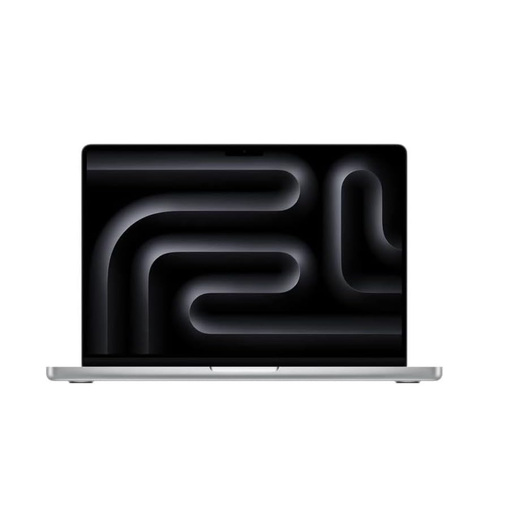
Apple MacBook Pro 14-inch M4 Pro 24GB 1TB - Silver (2024) - QWERTY Keyboard
Why This Fits Their Persona: Ideal for video editors, 3D artists, and software developers who require maximum performance. The M4 Pro chip, 24GB of RAM, and 1TB SSD create a balanced, future-proof configuration for demanding projects.
This configuration prevents you from overpaying for the absolute maximum specs, while still offering more than enough power for the most demanding professional tasks.
The combination of the powerful M4 Pro chip and the Liquid Retina XDR display makes this an excellent workstation for visually intensive work. The ports provide necessary flexibility.

Apple MacBook Neo 13-inch A18 Pro 8GB 512GB - Silver (2026) - QWERTY Keyboard
Why This Fits Their Persona: Perfect for writers, marketers, or managers who want a light, portable laptop with long battery life and the premium Apple experience, without the extreme power (and cost) of the Pro line.
This model prevents you from paying for "Pro" power that you don't need for office tasks and light creative projects. It offers a smarter, more cost-effective choice.
Extremely portable and lightweight design. According to Apple, it offers long battery life, which is ideal for those who are frequently on the go. The A18 Pro chip is more than sufficient for everyday professional tasks.
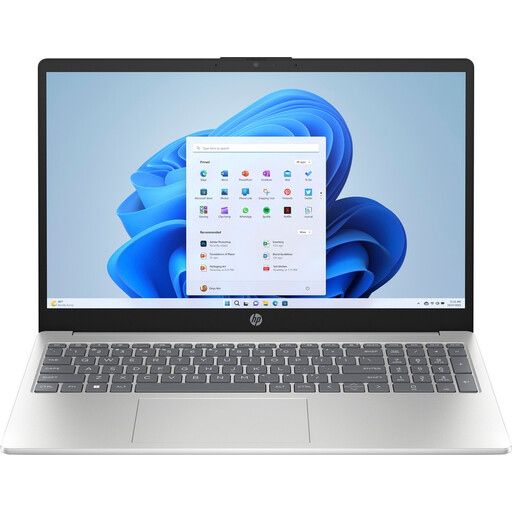
HP 15-fd0072nd Intel Core i7 i7-1355U 15.6" Full HD 16GB 512GB SSD Windows 11 Home Laptop, Silver - QWERTY Keyboard
Why This Fits Their Persona: An excellent Windows alternative for students or entry-level professionals who need a powerful and reliable laptop without Apple's premium price tag.
This model delivers the performance needed for most academic and early-career work, preventing you from overstretching your budget for a brand name. It offers a strong price-to-performance ratio.
Equipped with an Intel Core i7 processor and 16GB of RAM, which is ample for multitasking and demanding software. The larger 15.6-inch screen provides more workspace.
Looking for More Options?
We have compiled a complete, real-time list of products that fully satisfy these strict selection criteria and UK safety regulations.
Is 24GB of RAM enough for 4K video editing on the M4 Pro?
Yes, for most 4K video projects, 24GB of RAM is sufficient. It allows you to work smoothly with complex timelines, effects, and colour correction in software like Final Cut Pro or DaVinci Resolve. You would only need to consider upgrading to more memory for extremely heavy projects with multiple 8K layers or complex 3D elements.
What is the expected lifespan of a MacBook Pro 14-inch?
MacBook Pro models are known for their long lifespan. Physically, the aluminium unibody is very durable. In terms of software, Apple typically provides a minimum of 5 to 7 years of macOS updates after a model's release date. This means the laptop will remain secure and functional for years to come. Battery performance will decline over time, but the battery can be replaced.
Can I still use my old accessories (USB-A, HDMI)?
Yes, the MacBook Pro 14-inch (2024) is equipped with a variety of ports, including an HDMI port and multiple Thunderbolt 4 (USB-C) ports. For devices with an older USB-A connection, you will still need a simple adapter or a USB-C hub, but you can connect an external display directly via an HDMI cable.