
Choosing an indoor Wi-Fi security camera: how to compare picture quality, storage and smart features
An indoor Wi-Fi security camera can be useful for keeping an eye on pets, children, a baby’s room, valuables or your home while you’re at work. However, a high resolution or a long list of smart features doesn’t automatically make a camera a practical purchase. The differences often come down to storage, field of view, night vision and app requirements.
When comparing cameras, look out for these three common pitfalls:
- High resolution without a good field of view: 4K shows more detail, but a fixed lens can still leave parts of the room out of shot.
- “Free” smart features with unclear storage requirements: check whether you need a subscription for recordings, alerts or person detection.
- Night vision that sounds good on paper but isn’t right for your space: infrared works differently from colour night vision with a built-in spotlight. Reflections from windows and light-coloured walls can affect the picture.
Which specifications matter?
1. Resolution and field of view
An indoor security camera with 1080p is suitable for general monitoring. For picking out small details, a 2K, 2.5K or 4K security camera can capture more information. Also check the horizontal and vertical field of view.
A 360° security camera usually pans horizontally and can tilt vertically. That doesn’t always mean it records every corner at the same time. So check whether the camera can pan automatically, track a subject and save preset viewpoints.
2. Night vision and motion detection
With a security camera with night vision, you’ll often see infrared footage in shades of grey. Some models also use a spotlight to provide colour footage. A spotlight can be useful in a dark living room, but it may also be conspicuous or cause reflections.
For motion detection, check what types of alerts are available. A basic sensor may react to any movement. A security camera with person and pet detection attempts to distinguish between people, animals and other movement. According to the manufacturer’s product specifications, some models also have automatic tracking, where the lens follows a moving subject. Check the app to see which types of detection you can turn off and which zones you can set up.
3. Storage, subscriptions and connection
If you don’t want regular monthly costs, look for a security camera without a subscription that offers local storage. This often means a microSD card, which you may need to buy separately. Check the maximum capacity and whether 24/7 recording is supported.
A security camera with local storage can save footage directly to the card. Cloud storage is sometimes optional, but free features and retention periods vary by brand. Check the product information before you buy.
Placement is important for a stable connection. 2.4GHz usually has a longer range through walls; 5GHz can be faster when the signal is strong enough. Not every indoor Wi-Fi camera supports both bands. Also check whether the camera works only over Wi-Fi or supports an Ethernet cable too.
Features for everyday use
A camera with two-way audio has a microphone and speaker, so you can listen and speak through the app. This is handy for talking to a pet or alerting someone at home. It’s not a substitute for direct supervision.
Smart home compatibility can be useful, but check for limitations. The eufy Indoor Cam E30 lists support for HomeKit, Alexa and Google Assistant. According to the product information, HomeKit supports resolutions up to 1080p on this model, while the camera itself can record in 4K UHD. So the maximum picture quality may vary by platform.
Don’t place a camera in a bathroom, sauna or other damp room. Don’t point it at spaces where household members, neighbours or visitors would reasonably expect privacy. Let family members and visitors know where necessary, and protect your Wi-Fi network with a strong password.
Recommendations by use case
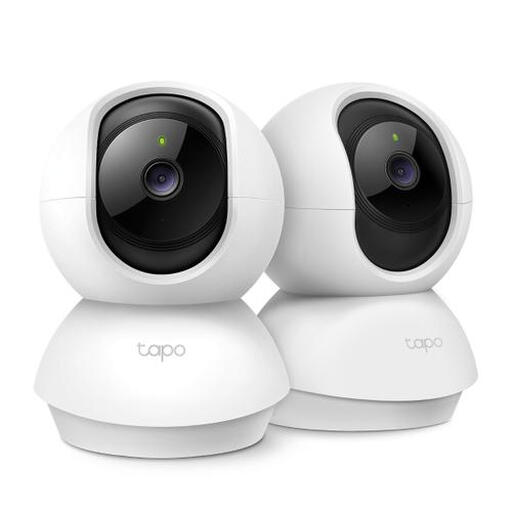
TP-LINK Tapo C200P2 Dome IP Security Camera
Why it suits this use case: A straightforward entry-level option if you’re looking for basic monitoring in a living room, hallway or home office, without a complicated installation.
The specifications list 360° panning, motion detection, night vision up to 9 metres and microSD storage up to 512 GB. Check whether the card needs to be bought separately.
1080p video, two-way audio, infrared night vision and local storage.
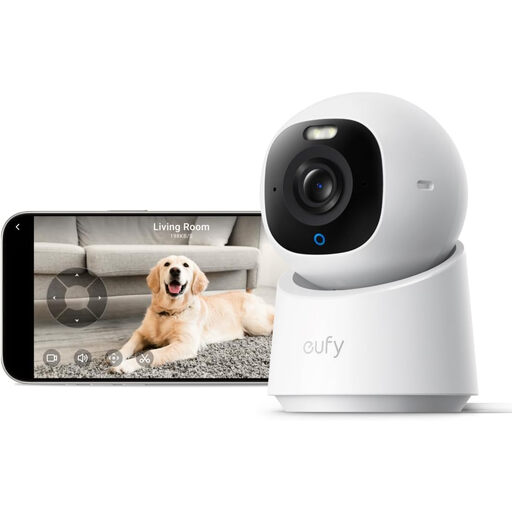
eufy Indoor Cam E30
Why it suits this use case: Ideal if you want to combine high resolution, wide coverage and smart detection in one indoor security camera.
The product information lists 4K UHD, 360° panning and tilting, person and pet detection, and automatic tracking. According to the same information, HomeKit may support up to 1080p.
4K UHD, colour night vision, two-way audio, local microSD storage and, according to the product description, no monthly fees.
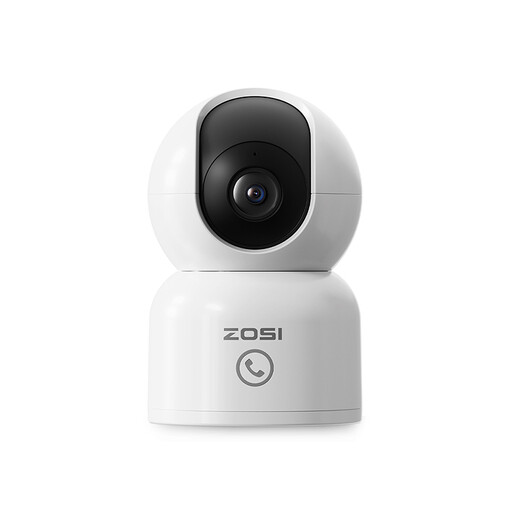
ZOSI 4MP Indoor Security Camera WiFi
Why it suits this use case: A good fit for households that want to monitor pets, children or a specific room over a longer period and need alerts on their phone.
The listed features include 2.5K footage, 360° tracking, person detection, 10-metre night vision and support for a microSD card up to 256 GB. Check separately whether the card is included and what cloud storage terms apply.
2.5K resolution, person and pet tracking, two-way audio, privacy zones and local storage.
Looking for more options?
We’ve put together a complete, up-to-date list of products that meet these strict selection criteria and the applicable European safety regulations.
Frequently asked questions about indoor Wi-Fi security cameras
Do I need a subscription for an indoor Wi-Fi camera?
Not always. Models with microSD storage can save footage locally. However, check whether person detection, longer cloud storage or certain alerts require a paid subscription.
Where should I place an indoor security camera?
Put the camera in a stable position where it can cover the area you want to monitor and get a good Wi-Fi signal. Avoid direct backlighting, windows with strong reflections and damp areas. Make sure cables are out of reach of small children.
How long does an indoor security camera last?
Lifespan depends on use, heat, power supply, firmware support and the quality of the storage card. Don’t let the camera get unnecessarily hot, use the supplied adapter and check regularly for software updates. Also check whether the manufacturer provides spare parts and support.