
Choosing the Right Case Fan: A No-Hype Buyer’s Guide
Buying a new case fan seems simple—until your PC sounds like a jet engine or your high-end components start to overheat. The market is flooded with claims of extreme airflow and whisper-quiet operation. Unfortunately, this marketing hype often leads to a bad purchase. Before you invest in new computer cooling, it's crucial to recognise the most common pitfalls.
Many buyers fall into these three traps:
- The "High Airflow" Myth: Brands advertise impressive airflow numbers (CFM or m?/h) but fail to mention that this value plummets as soon as a dust filter, radiator, or hard drive cage gets in the way.
- The "Silent" Fan That Doesn't Cool: A
silent case fanis often only quiet at its lowest speed, where it barely moves any air. As soon as your system heats up and the fan needs to work harder, it becomes noisy anyway. - The RGB Cable Chaos: An
RGB fancan look amazing, but many systems require a tangled mess of proprietary cables and controllers. This limits your choices and makes installation unnecessarily complex.
The Specs That Actually Matter: Size, Airflow, and Control
You don't need to be an engineer to make a smart choice. Just pay attention to a few key specifications that determine whether a fan is right for your PC.
Size: 120mm vs. 140mm Fans
The most common sizes are 120mm and 140mm. The choice depends on what fits in your case. As a general rule, a larger 140mm fan can move the same amount of air at a lower speed (RPM) as a smaller 120mm fan. A lower RPM typically means less noise. Therefore, always check which sizes your PC case supports.
Airflow (m?/h) vs. Static Pressure (mmH2O)
This is arguably the most important point.
- Airflow: Measured in cubic metres per hour (m?/h) or cubic feet per minute (CFM). This number indicates how much air a fan can move in an open space. High airflow is ideal for intake or exhaust in unobstructed areas.
- Static Pressure: Measured in millimetres of water (mmH2O). This indicates how forcefully the fan can push air through an obstacle. High static pressure is crucial for water cooling radiators, CPU coolers, and areas with dense dust filters.
A fan with high airflow but low static pressure is virtually useless on a radiator. Therefore, choose based on the application.
The Connector: The Importance of a PWM Fan
Modern fans have either a 3-pin or 4-pin connector. A fan with a 4-pin connector is a PWM fan. PWM stands for Pulse Width Modulation and allows your motherboard to dynamically adjust the fan's speed based on temperature. If your PC gets warmer, the fan spins faster. If the system is cool, it runs slowly and quietly. A 3-pin fan usually runs at a fixed speed unless your motherboard supports voltage control, which is less precise. For an efficient and quiet system, a PWM fan is the recommended choice.
Top Product Recommendations
Below are a few choices tailored to different types of users, based on their specifications.
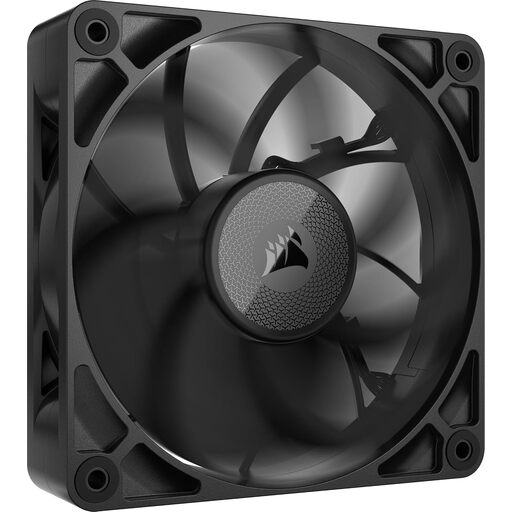
Corsair iCUE LINK RX120 MAX 120mm PWM Thick Fan - Expansion Kit – High Static Pr
Why This Fits Their Persona: This user seeks maximum cooling performance, for instance, for a water-cooled CPU or GPU. Aesthetics take a backseat to functionality. This fan is designed for pure power.
This model doesn't focus on an empty airflow claim but on a very high static pressure (4.18 mmH2O). This makes it ideal for forcing air through dense radiators and dust filters, where a standard fan would fail.
Its 30mm thickness (standard is 25mm) allows for larger fan blades and a more powerful motor, which directly contributes to its superior performance on radiators.
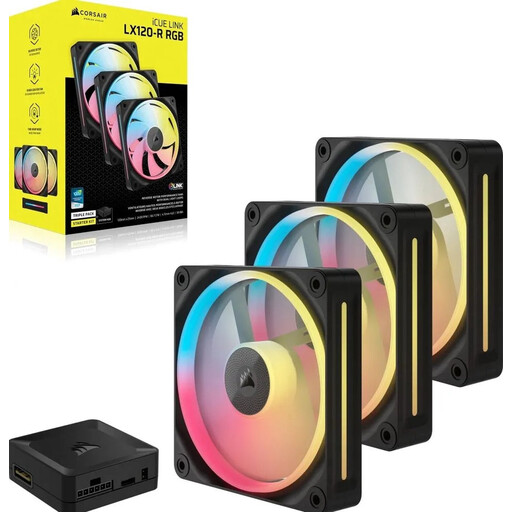
Corsair iCUE LINK LX120-R RGB Computer Case Fan 12cm Black 3 Pack
Why This Fits Their Persona: For those who want to build a visually stunning PC with synchronised lighting, without the cable management headache. This kit is ideal for a complete and clean build.
The iCUE LINK system from Corsair tackles the RGB cable chaos. You can connect multiple fans together (daisy-chain) with a single cable type, which vastly simplifies installation and results in a clean setup.
This RGB fan features 18 individually addressable LEDs per fan for vibrant effects. The combination of good cooling performance and a user-friendly ecosystem makes this a popular choice.
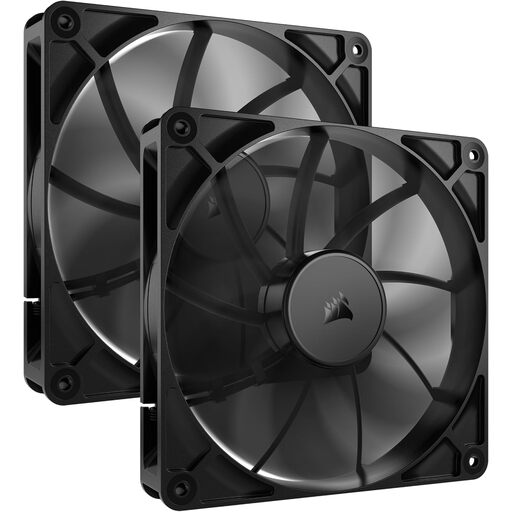
Corsair RS140 Computer Case Fan 14cm Black, 2-Pack
Why This Fits Their Persona: Ideal for anyone building a PC for a home office, a recording studio, or who simply hates unnecessary noise. The focus here is purely on silent operation without compromising on cooling.
This silent case fan isn't just quiet on paper. As a 140mm fan, it can run at a lower speed (from 330 RPM) and still generate noticeable airflow. The noise level at low speed is just 10 dB, which is virtually inaudible.
The larger size and wide PWM range make this fan highly efficient. It offers a good balance between airflow and static pressure, making it versatile enough for use as a case fan or on a radiator.
Looking for more options?
We have compiled a complete, up-to-date list of products that fully meet these strict selection criteria and local regulations.
Frequently Asked Questions About Case Fans
How many case fans do I need?
A good baseline setup for most PCs is two or three intake fans (at the front or bottom) and one exhaust fan (at the back or top). This creates positive air pressure, which helps keep dust out of the case. For high-end systems with powerful components, additional fans may be necessary.
What is the difference between a 3-pin and a 4-pin (PWM) fan?
A 3-pin PC fan receives a fixed voltage and runs at a constant speed. A 4-pin PWM fan has an extra wire that allows the motherboard to precisely control its speed based on temperature. This results in a quieter and more efficient system.
Does the fan's orientation matter?
Yes, absolutely. A fan has an intake side (usually the open side with the manufacturer's logo) and an exhaust side (the side where the frame holds the motor). By orienting fans correctly, you create an airflow path that draws in cool air and expels hot air. Incorrect placement can lead to 'hot spots' and poor cooling performance.