
Buying a Tablet: How to Avoid the 3 Biggest Pitfalls
Buying a new tablet can be overwhelming. You're bombarded with specs, and every manufacturer promises the world. But how do you know if you're making a smart purchase or just paying for clever marketing? As a Joybuy Product Recommendation Officer, I'm here to help you separate fact from fiction. We'll look at the most common pitfalls and how to choose a tablet that truly fits your needs, without overspending.
The 3 Pitfalls of Choosing a Tablet
Before you start comparing specifications, it's crucial to understand where manufacturers sometimes miss the mark or where marketing embellishes reality.
- The RAM Myth: You see it often: tablets advertising 24 GB or even 36 GB of RAM. This sounds impressive, but it's often a combination of physical RAM (e.g., 8 GB) and virtual RAM (16 GB). Virtual RAM is a portion of the slower storage that's used as memory. It's no match for the speed of true, physical RAM. For most tasks, 8 GB of physical RAM is more than enough.
- The "Pro" Label Without Pro Performance: The term "Pro" is used far too liberally. A true professional tablet, like an Apple iPad Pro, sets itself apart with a combination of a powerhouse processor (like the Apple M-series), a superior high-refresh-rate display (ProMotion), and an ecosystem of professional apps and accessories. A "Pro" label on a budget tablet often means little more than a slightly larger screen or an included tablet with a keyboard.
- Wi-Fi Only When You Need to Be Mobile: A Wi-Fi-only tablet is fine for home use. But if you plan to use the tablet on the go for school or work, the lack of a mobile data connection is a major limitation. A tablet with a SIM card (4G or 5G) gives you the freedom to be online anywhere, without relying on public Wi-Fi networks.
What Really Matters: The Core Specifications
Don't get distracted by marketing jargon. These three objective specifications determine 90% of whether a tablet is right for you.
Processor and Memory (RAM)
The processor (CPU) is the brain of the tablet. For simple web browsing and streaming shows, a standard octa-core processor will suffice. However, if you want a gaming tablet or use demanding graphic design apps, a powerful chip like the Apple M-series or a high-end MediaTek or Snapdragon processor is a must-have. As mentioned earlier, focus on the physical RAM. 8 GB is a solid foundation for smooth multitasking, while 12 GB or 16 GB is desirable for the most demanding professionals.
Screen Size and Quality
The screen is your window to the digital world. Pay attention to the following:
- Resolution: Aim for at least Full HD (1920x1080). A 2K resolution (around 2000x1200 pixels) offers a noticeably sharper image, which is easier on the eyes for extended reading or watching movies.
- Refresh Rate: The standard is 60 Hz. A screen with 90 Hz or 120 Hz (like on the iPad Pro models) provides much smoother animations and more immediate responsiveness when scrolling or drawing.
- Screen Type: OLED screens offer deeper blacks and more vibrant colors than traditional LCD screens, which is ideal for media consumption and photo editing.
Connectivity: Wi-Fi 6 and 4G/5G
All modern tablets support Wi-Fi. Wi-Fi 6 (or newer) offers a faster, more stable connection, which is an advantage, especially in a home with many devices. Are you considering using the tablet frequently outside your home? Then a tablet with a SIM card is essential. This gives you access to the internet anytime, anywhere via a 4G or 5G network, which is ideal for a tablet for school or work on the go.
Our Recommended Product Picks
Below is a selection of tablets that suit different user profiles, based on their objective specifications.
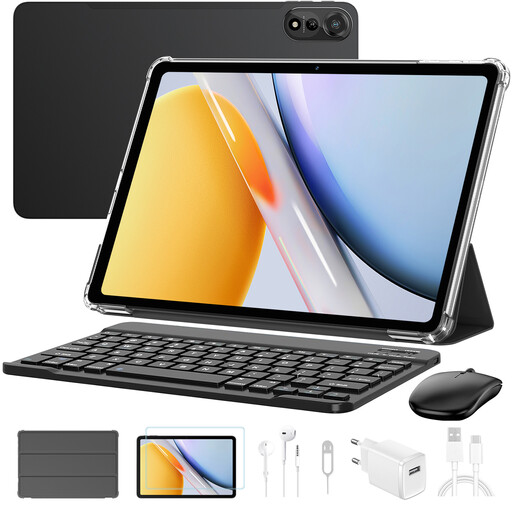
Blackview Mega2 Tablet 12" 2K FHD
Why This Fits Their Persona: This is a complete package for those seeking excellent value for money. Ideal for students who need a device for notes, online lectures, and entertainment, without paying a premium for separate accessories.
Although the 36GB RAM claim is partly virtual, the physical RAM provides enough power for daily tasks. The main advantage is that a keyboard, mouse, stylus, and headphones are included, so you won't face unexpected costs.
Large 12-inch 2K screen for comfortable work and movie watching. Includes 4G support (dual SIM) for mobile internet.
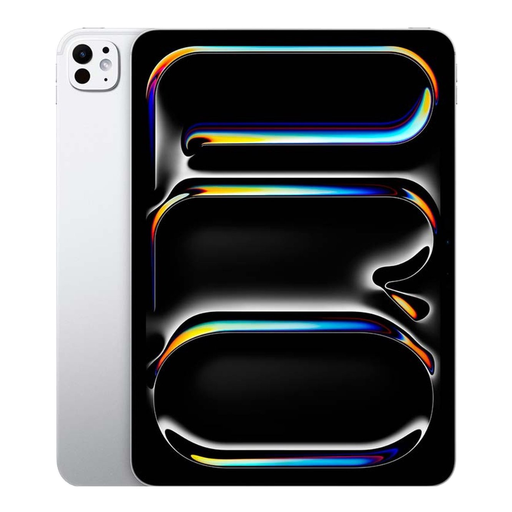
Apple 11-inch iPad Pro (M4) Wi-Fi + Cellular 1TB
Why This Fits Their Persona: For graphic designers, video editors, and other creatives who demand top-tier performance and color accuracy. The combination of hardware and software makes this a powerful and reliable tool for professional workflows.
This is an example of a true "Pro" tablet. The Apple M4 chip delivers laptop-level performance, and the Ultra Retina XDR (OLED) display with ProMotion is one of the most advanced screens on the market. Here, you're paying for performance, not just a label.
Exceptional performance thanks to the M4 chip. Superior Tandem OLED screen for professional color work. Support for Wi-Fi 6E and 5G for fast connectivity everywhere.
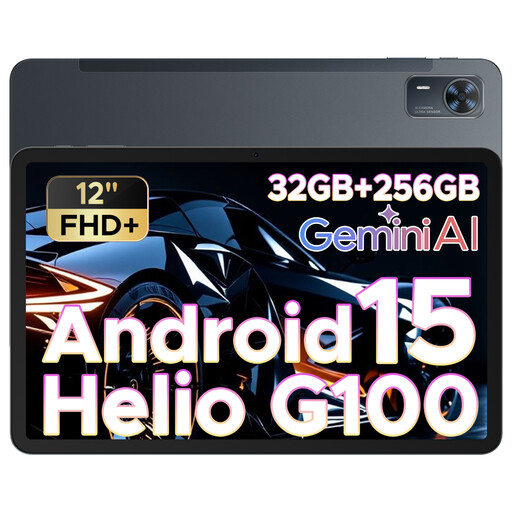
DOOGEE Tab E3+ Android 15 12Inch FHD+ Tablet
Why This Fits Their Persona: Perfect for those who are always on the go and need a large screen for entertainment or productivity. The combination of a 12-inch screen and a SIM card slot makes it a versatile device for the train, on location, or just on the couch.
This tablet directly solves the "Wi-Fi only" pitfall by offering a SIM card slot. You aren't dependent on insecure public networks and have the freedom to work or stream anywhere, without paying the premium price of a top-tier brand.
Very large 12-inch FHD+ screen. Runs on a recent version of Android (15) and has a 90Hz refresh rate for a smooth experience.
Looking for more options?
Not all tablets are equipped for mobile internet. If you want to be sure you can get online anywhere, check out our selection of models that meet the criteria for a great tablet with a SIM card.
Frequently Asked Questions
What's the difference between an Android tablet and an Apple iPad?
The choice between an Android tablet and an Apple iPad largely depends on your personal preference and the devices you already own. iPads are known for their user-friendly operating system (iPadOS), powerful performance, and a vast ecosystem of optimized apps. Android tablets offer more choice in hardware (brands, sizes, prices) and a more open system, which offers more freedom in file management and customization.
How much storage space do I need?
For basic use (browsing, email, some apps and photos), 64 GB or 128 GB is often sufficient. If you download a lot of movies, shows (for offline viewing), or large games, or if you use the tablet for professional photo and video editing, then 256 GB, 512 GB, or even more is recommended. Note: not all tablets have a slot for an external memory card to expand the storage later.
Is a tablet with a keyboard a good laptop replacement?
For many tasks, yes. A tablet with a keyboard is ideal for emailing, word processing, and creating presentations. They are lighter and more flexible than most laptops. However, for heavy-duty software, complex multitasking, or if you need specific programs that only run on Windows or macOS, a laptop often remains the better choice. So, it all depends on your use case.