
Gaming Mouse Buying Guide: Features, Fit, and Performance
Choosing a new gaming mouse can be overwhelming. The market is flooded with models that all promise to boost your performance, throwing around terms like DPI, polling rate, and ergonomic shapes. But which specs truly matter for you, and how do you find a mouse that fits your playstyle and budget?
As a Joybuy Product Recommendation Officer, my job is to help you make an informed decision. In this article, we'll cut through the marketing jargon and focus on the facts. We'll discuss the key features of a PC gaming mouse and highlight some popular choices to help you find the right mouse for gaming.
What to Look for When Buying a Gaming Mouse
Before you buy a gaming mouse, it's helpful to understand a few key specifications. These determine how the mouse feels and performs.
1. DPI and Polling Rate: Speed and Precision
DPI (Dots Per Inch) indicates the sensitivity of the mouse sensor. A higher DPI means the cursor on your screen travels a greater distance with a small movement of the mouse. Competitive FPS players often prefer a lower DPI (400-1600) for precise shots, while others find a higher DPI more comfortable for quick reactions. Many gaming mice have an adjustable DPI, allowing you to switch on the fly depending on the game or situation.
The Polling Rate, measured in Hertz (Hz), indicates how often the mouse reports its position to the computer. A standard office mouse often has a rate of 125 Hz, but a wired gaming mouse usually goes up to 1000 Hz or even higher. A higher polling rate provides a smoother and more immediate response, which can be crucial in fast-paced games.
2. Ergonomics and Weight: Comfort and Control
An ergonomic gaming mouse is designed to fit comfortably in your hand during long gaming sessions. The shape is often tailored for right-handed users and supports a specific grip style (palm, claw, or fingertip).
Weight also plays a major role. A lighter mouse makes quick, sweeping movements easier, which is ideal for FPS games. A heavier mouse, on the other hand, can offer more control and stability, which can be useful in strategy or MMO games. Some models even offer customisable weights.
3. Buttons and Customisation
In addition to the standard left and right mouse buttons, gaming mice often have extra programmable buttons. You can configure these via software for specific actions or macros, such as switching weapons, using an ability, or building structures. The number of buttons you need depends heavily on the games you play.
Gaming Mouse Recommendations
Based on specifications, functionality, and user feedback, we have selected three compelling wired gaming mice.
Razer DeathAdder Essential 2021 - Wired Gaming Mouse
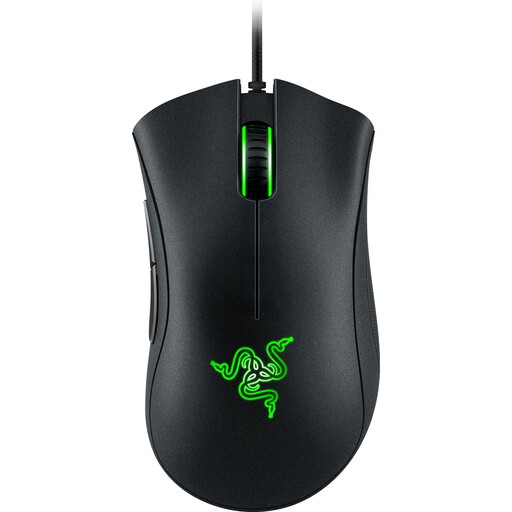
Why it stands out: The Razer DeathAdder has been a household name in the gaming world for years. This model, the Essential 2021, focuses on the core essentials: a proven ergonomic shape and reliable performance. The 6,400 DPI optical sensor is more than sufficient for most gamers, and its shape is designed for long-lasting comfort.
Pros:
- Ergonomic shape: The mouse is renowned for its comfortable design, especially for right-handed users.
- Proven durability: According to Razer, the switches are rated for 10 million clicks.
- Simplicity: No unnecessary features, just a solid and reliable
Razer mouse.
Who is it for?: This is an excellent choice for gamers looking for an affordable, no-nonsense mouse for gaming with a comfortable grip for long sessions. It's ideal as your first serious upgrade or if you want a dependable mouse without too many frills.
Check out the Razer DeathAdder Essential 2021 on Joybuy.nl
HyperX Pulsefire Haste 2 - Wired Gaming Mouse
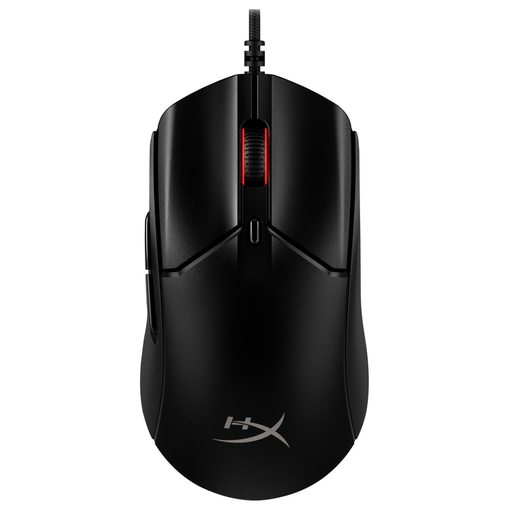
Why it stands out: The HyperX Pulsefire Haste 2 is built for speed. With a weight of just 52 grams (without the cable), it's one of the lighter mice on the market. This is combined with an impressive 8,000 Hz polling rate and a sensor that goes up to 26,000 DPI. According to HyperX, this ensures minimal delay and maximum responsiveness.
Pros:
- Extremely lightweight: Enables fast and effortless movements.
- High performance: The 8,000 Hz polling rate and high-DPI sensor are aimed at competitive gamers.
- Complete package: Comes with grip tape and a flexible HyperFlex 2 cable that minimises drag.
Who is it for?: This HyperX mouse is perfect for competitive FPS players who want to make every millisecond count. If you're looking for a light, fast, and supremely responsive mouse to maximise your reaction time, the Pulsefire Haste 2 is a strong contender.
Check out the HyperX Pulsefire Haste 2 on Joybuy.nl
Logitech G502 HERO Wired Gaming Mouse
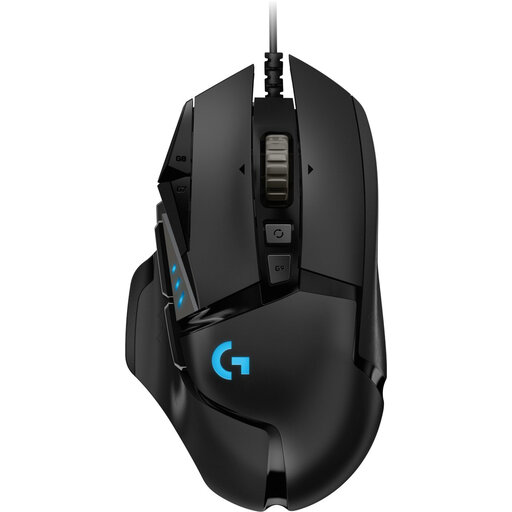
Why it stands out: The Logitech G502 HERO is a versatile powerhouse that is all about customisation. With 11 programmable buttons, an adjustable weight system (with five 3.6g weights), and the precise HERO 25K sensor (up to 25,600 DPI), you can fully tailor this mouse to your preferences.
Pros:
- Fully customisable: Adjust the weight, balance, and function of the 11 buttons.
- Versatile performance: The high-DPI sensor and numerous buttons make it suitable for a wide range of genres, from FPS to MMO and RPG.
- High-quality sensor: The HERO 25K sensor is known for its precise tracking with zero lag.
Who is it for?: This Logitech gaming mouse is ideal for the all-around gamer who loves customisation. Do you play many different games and want to be able to fine-tune your mouse in detail for optimal performance in every situation? Then the G502 HERO offers the flexibility you're looking for.
Check out the Logitech G502 HERO on Joybuy.nl
Looking for Other Options?
Didn't find the perfect mouse for you, or are you curious about other models? Every gamer has unique preferences. Fortunately, there is a wide range of mice with different shapes, weights, and features.
View our full range of wired computer mice
Frequently Asked Questions About a Mouse for Gaming
What is a good DPI for a gaming mouse?
There is no single "best" DPI; it's a matter of personal preference. Many professional FPS players use a low DPI (400-1600) for precision, combined with large mouse movements. For general use and other games, a higher DPI (1600-3200) might feel more comfortable. The most important thing is that the mouse has an adjustable DPI, so you can experiment to find what works for you.
Is a light or heavy gaming mouse better?
This depends on your playstyle. A light mouse (under 80 grams) is ideal for fast, sweeping movements in FPS games, as it requires less effort. A heavier mouse (over 100 grams) can offer more stability and control, which some players prefer for precise, small adjustments or in strategy games.