
Choosing the Right USB-C to USB-C Cable in 2026: A Practical Guide
Buying a new USB C to USB C cable seems simple—until you find your laptop isn’t charging, or the cable breaks after just a few months. The reality is that not every Type C cable is created equal. The difference lies in the specifications: charging power, data transfer speed, and build quality. Making the wrong choice can lead to slow charging times or even a useless cable. This guide will help you select the right cable based on key technical parameters, ensuring you make a purchase that perfectly matches your devices and usage.
What to Look for in a USB-C Cable?
To avoid a bad purchase, it's crucial to understand a few technical specifications. These determine how the cable will perform.
- Charging Power (Wattage): This is arguably the most important factor. A standard cable often won't deliver enough power for a laptop. For smartphones and tablets, a 60W PD (Power Delivery) cable is typically sufficient. For more powerful devices, like a MacBook Pro or a Windows laptop, you'll need a 100W USB-C cable to charge at full speed. Always check the power requirements of your device and charger.
- Data Transfer: Most USB-C charging cables support a data transfer speed of USB 2.0 (480 Mbps). This is fine for syncing your phone or transferring small files. If you need a cable to connect an external SSD or a 4K monitor, you should look for cables that support USB 3.1, USB4, or Thunderbolt, which offer significantly higher speeds. The cables in this overview focus primarily on charging.
- Durability and Material: A braided USB-C cable made of nylon is generally more resistant to kinks and wear than a standard plastic cable. Also, pay attention to the reinforcement at the connectors; this is often the weakest point. Manufacturers sometimes specify the number of bends a cable can withstand, which is a good indicator of its lifespan.
- Safety (E-Marker Chip): For cables designed to deliver more than 60W of power (specifically, a 3A current), an E-Marker chip is mandatory according to USB-IF standards. This chip communicates with the charger and the device to safely regulate power and prevent overheating or damage. Therefore, a 100W USB-C cable must always contain such a chip.
Our Top Picks for 2026
Based on the criteria above, we have selected a range of USB-C cables with clear specifications for different use cases.
1. UGREEN 100W Braided USB-C Cable
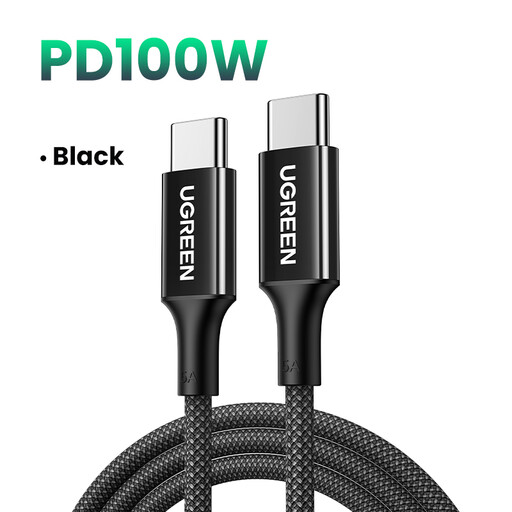
- Why this product: This cable is engineered for maximum performance and durability. With a charging capacity of up to 100W, it's a powerful fast-charging USB-C cable suitable for the most demanding laptops.
- Advantages:
- High Power Output: Supports up to 20V/5A (100W), ideal for high-end laptops.
- Durable Construction: The braided nylon exterior and tested bend resistance (3000 cycles according to the manufacturer) ensure a long lifespan.
- Safety: Equipped with an E-Marker chip (model HUSB332A/D) for safe power delivery at high wattages.
- Wide Compatibility: Suitable for a broad range of devices, including MacBook Pro/Air, various Windows laptops, and recent smartphones like the iPhone 15/16 and Samsung Galaxy S24.
- Who is this for: This is the ideal USB-C cable for laptop users who need a reliable and fast charging solution for their powerful equipment, both at home and in the office.
2. Baseus Free2Pull Mini Retractable USB-C Cable
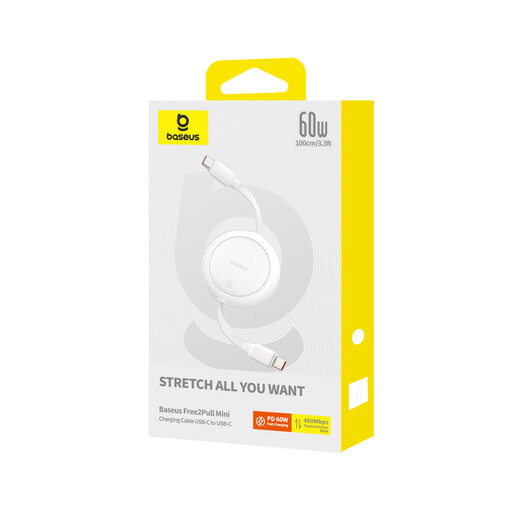
- Why this product: This cable from Baseus solves a common problem: cable clutter. Its smart, retractable mechanism makes it extremely portable and convenient for on-the-go use.
- Advantages:
- Compact and Retractable: The mechanism allows the cable to be stored neatly without tangling. Ideal for your bag or pocket.
- Sufficient Power: With 60W PD charging, this cable is suitable for fast-charging most smartphones, tablets, and many compact laptops (like a MacBook Air).
- Adjustable Length: The cable can be locked at various lengths (up to 1 meter), offering flexibility in different situations.
- Lightweight: Weighing only 38 grams, you'll barely notice you're carrying it.
- Who is this for: Perfect for travellers, students, and anyone who values a tidy workspace or bag. It's a practical
USB C charging cablefor daily use with mobile devices.
3. Apple Braided USB-C to USB-C Cable (1m)
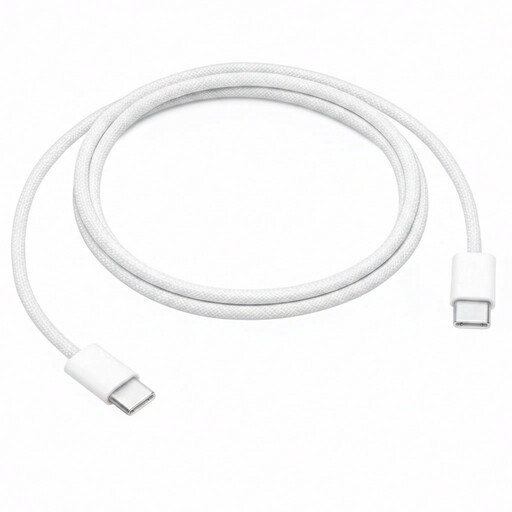
- Why this product: For users within the Apple ecosystem, the official Apple cable offers the assurance of seamless compatibility and reliability. The new braided version is a significant improvement over older models.
- Advantages:
- Guaranteed Compatibility: Designed by Apple for Apple products, ensuring flawless operation with MacBooks, iPads, and iPhones that have a USB-C port.
- Improved Durability: The braided design makes this cable significantly sturdier and less prone to wear and tear than Apple's traditional plastic cables.
- Functional Design: Supports charging up to 60 watts and data transfer at USB 2.0 speeds, perfect for charging and syncing most Apple devices.
- Who is this for: The
USB C cable MacBookand iPad user who prefers genuine accessories and wants to be certain of perfect performance with their equipment.
Didn't Find a Match? Explore More Options
The selection above covers the most common needs, but perhaps you're looking for a different length, a specific colour, or a cable with higher data transfer speeds. Every device and user has unique requirements.
For a broader overview of different brands, lengths, and specifications, you can browse our full collection of phone cables. There you'll find an extensive range to help you find the perfect cable for your situation.
Frequently Asked Questions (FAQ)
1. Is every USB-C cable a fast-charging cable? No. To fast-charge, the cable, the charger, and the device must all support a fast-charging protocol like Power Delivery (PD). A cable without the proper specifications can limit charging speed, even if you use a powerful charger. A 100W USB-C cable is specifically designed for this purpose.
2. Can I use a 100W cable for my phone that only supports 30W? Yes, that is completely safe. Thanks to the built-in E-Marker chip and the Power Delivery protocol, the cable and charger communicate with your phone to deliver the exact amount of power needed. The cable will never supply more power than the device can safely handle.
3. What is the difference between a USB-C cable and a Thunderbolt cable? Although they use the same physical connector, the technology is different. A standard USB C to USB C cable is primarily for charging and basic data transfer (usually 480 Mbps). A Thunderbolt cable is an advanced variant that supports much higher data transfer speeds (up to 40 Gbps) and is suitable for connecting external displays and high-speed storage. For charging alone, a Thunderbolt cable is unnecessary and often more expensive.