
Choosing the Right USB-C to USB-C Cable in 2026: A Practical Guide
A USB-C cable seems like a simple purchase—until your new laptop won’t charge, data transfers are painfully slow, or the cable fails after just a few weeks. Not all USB-C cables are created equal. The differences in charging power, data speed, and build quality are significant. Making the wrong choice leads to frustration and is a waste of money. This guide will help you understand the specifications and find a cable that perfectly matches your devices and needs.
Buyer's Guide: What to Look For
Focus on the parameters that matter most to you. A cable for charging a smartphone has different requirements than one for a high-end laptop or an external SSD.
1. Charging Power (Watts)
The charging power, expressed in Watts (W), determines how quickly your device can charge. Check what power your device and charger support.
- Standard (up to 60W): Sufficient for most smartphones, tablets, and smaller laptops. A cable with 3A/60W support, like the Samsung cable, is a reliable choice here.
- High Power (100W+): Necessary for powerful laptops (like MacBooks, Dell XPS) and faster charging protocols.
- Very High Power (up to 240W): The latest PD 3.1 standard enables charging up to 240W. This is intended for the most demanding devices, such as gaming laptops and large monitors. A 240W PD 3.1 cable is future-proof, but it's only useful if your device and charger also support this standard.
- Brand-Specific Protocols: Brands like Xiaomi use proprietary technologies such as 120W HyperCharge. To achieve maximum speed, you need a cable that supports this specific protocol, like a 120W HyperCharge cable.
2. Data Transfer Speed (Gbps)
For charging only, data speed is irrelevant. However, for transferring files, it's a crucial factor.
- USB 2.0 (480 Mbps): The standard speed for many charging cables. Fine for syncing music or small documents, but too slow for large video files.
- USB 3.1/3.2 (5-20 Gbps): A significant improvement, suitable for transferring large files to an external hard drive.
- USB4 (up to 40 Gbps): The current top standard. A 40Gbps USB4 cable is essential for professionals working with 4K/8K video, external graphics cards (eGPUs), or ultra-fast NVMe SSDs. These cables often also support video output via DisplayPort Alt Mode.
3. Durability and Length
A cable needs to withstand daily use.
- Material: A braided USB-C cable made of nylon or a similar material is typically more resistant to kinks, pulls, and wear than a standard plastic cable.
- Length: A 1-meter cable is practical for on-the-go use. For use at a desk or next to the sofa, a longer 1.8 or 2-meter cable can offer more freedom of movement.
Our Top Picks for 2026
Based on the criteria above, we have curated a selection of USB-C cables with clear specifications for different types of users.
1. Xiaomi 6A High-speed USB4 Braided USB-C to USB-C Cable
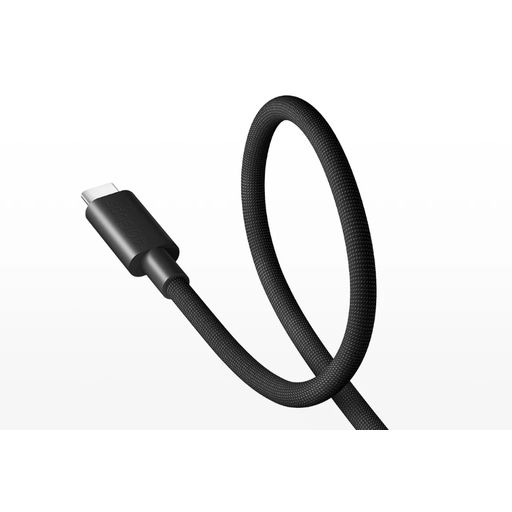
- Why We Chose It: This cable combines the highest specifications currently available. It's an all-in-one solution for the most demanding user.
- Pros:
- Data Transfer: Supports USB4 with a maximum speed of 40Gbps.
- Charging: Compatible with the PD 3.1 standard for charging up to 240W. Also suitable for Xiaomi's 120W/90W/67W TurboCharge.
- Video: Can transmit video up to 8K resolution at 60Hz.
- Build Quality: Braided exterior for extra durability.
- Who It's For: Professionals, content creators, and tech enthusiasts who need a USB-C laptop charging cable that also delivers maximum data and video speeds for high-end laptops, monitors, and external SSDs.
2. Xiaomi 6A Braided USB-C to USB-C Cable
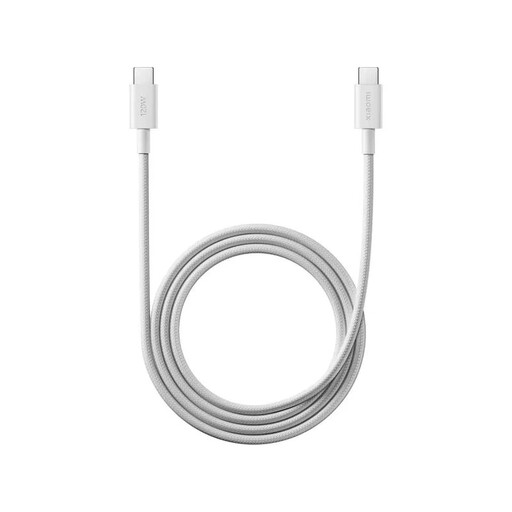
- Why We Chose It: This cable is specifically designed to get the maximum charging power from compatible Xiaomi devices, while remaining a durable and affordable option.
- Pros:
- Charging: Supports up to 120W HyperCharge (6A) for compatible Xiaomi USB-C cable devices. Also compatible with general PD 3.0 and QC 3.0 protocols.
- Build Quality: A premium braided design that resists bending and pulling.
- Compatibility: Works as a universal fast-charging USB-C cable for many phones and tablets.
- Who It's For: Users of Xiaomi smartphones and tablets who want the fastest possible charging time. It's also an excellent, robust all-round cable for anyone who primarily focuses on fast charging rather than high data speeds (this cable has a USB 2.0 speed of 480 Mbps).
3. Samsung USB-C to USB-C Cable 1.8m 3A/60W Black
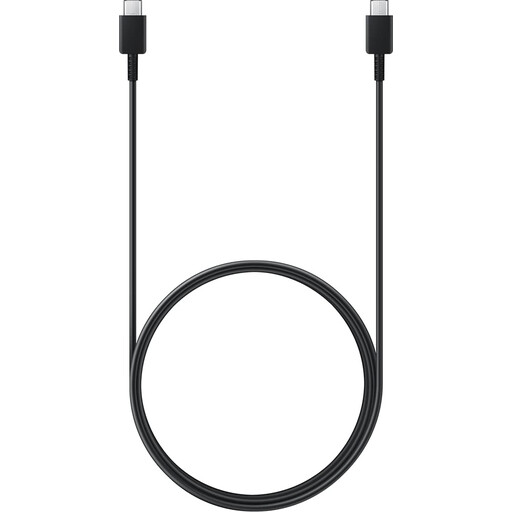
- Why We Chose It: An official, reliable cable from a top brand, ideal for standard use with extra length for more convenience.
- Pros:
- Reliability: As an official Samsung product, it meets the manufacturer's quality and safety standards.
- Length: The 1.8-meter length offers significantly more flexibility than standard 1-meter cables.
- Compatibility: A universal Samsung USB-C cable that works with virtually all USB-C devices requiring up to 60W (3A) of charging power.
- Who It's For: Anyone looking for a reliable and longer cable for charging a smartphone, tablet, or a less powerful laptop. Ideal for Samsung users who prefer an original accessory.
Looking for Something Else?
While USB-C is the modern standard for most new devices, many older devices like external hard drives, printers, or specific hubs still use the classic USB-A port. If you need to connect devices that both have a USB-A port, you will need a different type of cable.
- Check out our selection of USB-A to USB-A cables here.
Frequently Asked Questions
1. Can I use any USB-C to USB-C cable for any device? Yes, in principle, any USB-C cable will fit into any USB-C port for basic functionality like slow charging. However, for features like fast charging (e.g., 120W or 240W) and high data speeds (40Gbps), the cable, the charger/host, and the device itself must all support that specific standard. Using a high-end cable with a basic smartphone will not provide any extra speed.
2. What is the difference between USB Power Delivery (PD) and Xiaomi HyperCharge? USB Power Delivery (PD) is a universal charging standard that many manufacturers adhere to. PD 3.1 is the latest version, supporting up to 240W. HyperCharge is a proprietary, brand-specific fast-charging technology from Xiaomi. To achieve the maximum HyperCharge speed, you typically need a compatible Xiaomi charger, device, and cable.
3. How do I know if my laptop needs a 240W cable? Check the specifications of the original charger that came with your laptop. The wattage is listed on it. Most laptops only require 65W or 100W. Only the most powerful gaming or workstation laptops will benefit from a 240W cable, provided that the laptop and the charger support the PD 3.1 standard.
Written by: Joybuy Product Recommendation Officer