
Choosing the Right USB-C to USB-C Cable in 2026: A Practical Guide
Need a new USB-C to USB-C cable? The selection can be overwhelming. The wrong purchase leads to frustration: your laptop fails to charge, file transfers take forever, or the cable breaks after just a few weeks. The goal is to find a cable that works reliably with your devices. This guide will help you understand the technical specifications and make an informed, fact-based decision.
What to Look For in a USB-C Cable
Not all USB-C cables are created equal. Performance is determined by a number of core specifications. Pay attention to the following parameters to ensure the cable meets your requirements.
1. Charging Power (Watts)
The charging power, expressed in watts (W), determines how quickly a cable can charge your device. This is often referred to as Power Delivery (PD).
- Up to 60W: Sufficient for most smartphones, tablets, and compact laptops like a MacBook Air.
- 60W to 100W: The standard for most modern laptops, including many MacBook Pro models and Windows laptops. A USB-C laptop charging cable typically requires this power level.
- Above 100W (e.g., 240W): Required for high-performance laptops, gaming laptops, and specific docking stations. These cables comply with the latest PD 3.1 standard.
Always check the power requirements of your device and charger. Using a higher-wattage cable with a lower-wattage device is safe; the devices communicate to deliver the correct amount of power.
2. Data Transfer Speed
A USB-C data cable is not just for charging. The speed at which you transfer files is crucial for productivity.
- USB 2.0 (480 Mbps): The base speed, suitable for syncing photos and documents. Many charging-focused cables are limited to this speed.
- USB 3.1/3.2 (5 to 20 Gbps): Significantly faster, ideal for transferring large files like videos or connecting an external SSD.
- USB4 (up to 40 Gbps): The highest speed, necessary for connecting 4K or 8K monitors, high-end external drives, and eGPUs.
3. Material and Durability
A cable's lifespan depends on its construction. A braided USB-C cable, often made of nylon or a similar textile, offers extra protection against kinking and fraying near the connectors. Stainless steel or reinforced connectors also contribute to a longer lifespan.
4. Length
The cable's length is a practical consideration.
- 1 meter: Ideal for on-the-go use, with a power bank, or at a desk where the outlet is nearby.
- 2 meters or longer: Offers more flexibility at home or in the office when the outlet is farther away.
Our Recommendations for USB-C to USB-C Cables in 2026
Below is a selection of cables with different specifications, suitable for various use cases. These recommendations are based on the product parameters provided by the manufacturer.
Baseus Mirror Mini Series Flexible Stretch Fast Charge Data Cable (1m)
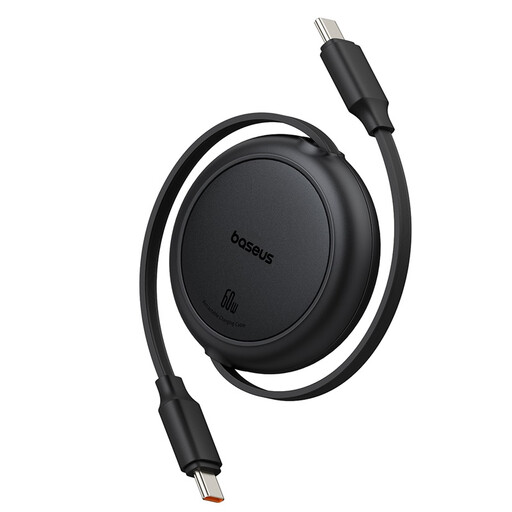
- Why this product: This cable is designed for maximum portability. Its retractable mechanism prevents a tangled mess of cables in your bag and makes it compact for travel.
- Pros:
- Retractable mechanism: Easily extends to 1 meter and retracts automatically.
- Charging Power: Supports Power Delivery up to 60W, suitable for smartphones, tablets, and various laptops.
- Data Transfer: Speeds up to 480 Mbps (USB 2.0), functional for syncing files.
- Compact design: Lightweight and small, ideal for daily carry.
- Who it's for: Users who are frequently on the go and value an organized bag or workspace. Perfect for charging a phone, tablet, or compact laptop with a power bank or charger.
Xiaomi 6A Braided USB-C to USB-C Cable (2m)
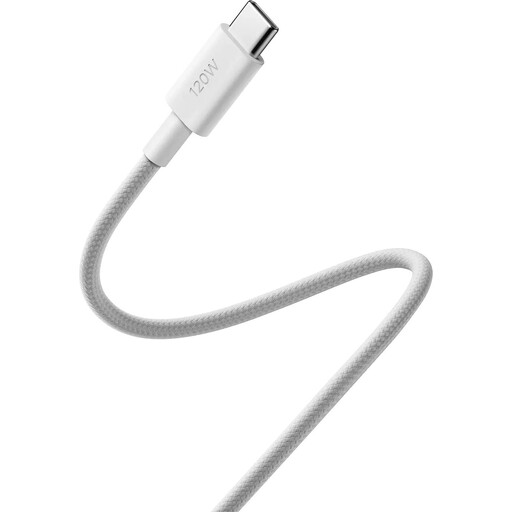
- Why this product: This cable is focused on maximum performance for both charging and data. With support for 240W and USB4, it is a future-proof choice for demanding applications.
- Pros:
- Extremely High Charging Power: Supports PD 3.1 up to 240W, suitable for the most powerful laptops and devices.
- Very High Data Transfer Speed: USB4 Gen 3 certification for speeds up to 40 Gbps. This allows it to drive 8K displays.
- Durability: A braided USB-C cable with stainless steel connectors. According to the manufacturer, the cable withstands over 10,000 bend tests.
- Length: The 2-meter length provides ample freedom of movement.
- Who it's for: Professionals, content creators, and tech enthusiasts who work with high-end laptops, external SSDs, and 4K/8K monitors. A powerful fast-charging USB-C cable for those who refuse to compromise.
Apple USB-C to USB-C Woven Charge Cable (1m)
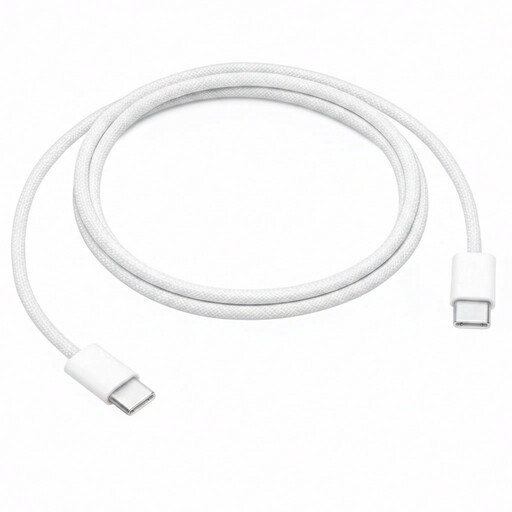
- Why this product: This cable offers the reliability and seamless integration expected from Apple products. The woven design is a significant durability improvement over older Apple cables.
- Pros:
- Woven design: Provides enhanced durability and is less prone to kinking.
- Charging Power: Supports charging up to 60W, compatible with MacBook Air, iPad Pro, and for fast-charging an iPhone (with a USB-C charger).
- Data Transfer: Operates at USB 2.0 speeds (480 Mbps) for syncing and data transfer.
- Ecosystem Integration: Designed for optimal performance with Apple devices.
- Who it's for: Apple users looking for a reliable, durable replacement or secondary cable for charging and syncing their MacBook, iPad, or iPhone.
Didn't Find What You're Looking For?
The selection above covers specific use cases. If your ideal cable isn't listed—perhaps because you need a different length, color, or a specific certification—more options are available. A wider selection can help you find the cable that meets your exact specifications.
Check out our full range of Type-C to USB cables for more choices.
Frequently Asked Questions
1. Is every USB-C cable a fast-charging cable? No. While the USB-C connector is the physical standard, the internal wiring and electronics determine if a cable supports fast charging via Power Delivery (PD). A cable must be specifically designed for a higher wattage (e.g., 60W or more) to function as a fast-charging USB-C cable. Always check the product specifications.
2. Can I use a 240W cable for a device that only needs 60W? Yes, that is perfectly safe. The USB-C Power Delivery standard ensures that the charger, cable, and device communicate to determine the maximum safe charging power. The cable will never deliver more power than the device can handle.
3. What is the difference between a USB-C charging cable and a Thunderbolt cable? Although they use the same connector, Thunderbolt is a technology from Intel that supports much higher data transfer speeds (typically 40 Gbps) and video output. All Thunderbolt 3 and 4 cables also function as full-featured USB-C cables for charging and data, but not all USB-C cables have Thunderbolt capabilities. The Xiaomi cable mentioned above is an example of a USB-C cable that does achieve the USB4 speed of 40 Gbps, which is comparable to Thunderbolt.
Written by: Joybuy Product Recommendation Officer