
How to Choose the Right Memory Card and Avoid a Bad Buy
A full camera, a slow smartphone, or a Nintendo Switch that can't store any new games. These are common problems that a new memory card can quickly solve. But the market is a maze of specifications, formats, and marketing claims. The wrong choice not only means wasted money but also frustration from stuttering videos or slow loading times.
As a Product Recommendation Officer at Joybuy, I see where things go wrong every day. Before you make a purchase, it's important to recognise two common pitfalls.
- The "Speed" Trap: Brands often advertise an impressive read speed (e.g., "up to 170 MB/s"). This is the speed at which you retrieve files from the card. However, for recording 4K video or taking rapid-fire action shots, the write speed is far more important. A low write speed leads to choppy recordings or a camera that freezes.
- The "One-Size-Fits-All" Myth: Not every card is suitable for every device. An inexpensive micro SD card might be fine for extra photo storage on your phone, but it's often too slow for a 4K drone or a modern game console like the Nintendo Switch. Compatibility and the correct speed class are crucial.
What to Look For: The Most Important Specs Deciphered
To avoid a bad buy, you don't need to read a technical manual. Pay attention to the following three specifications to find the right memory card for your needs.
1. Format: SD Card vs. Micro SD Card
This is the most straightforward choice. Check which format your device requires.
- SD Card: The larger, standard format. Primarily used in digital cameras (DSLRs and mirrorless cameras) and laptops.
- Micro SD Card: The much smaller format, standard for smartphones, drones, action cams, and the SD card Nintendo Switch slot. Many micro SD cards come with an adapter, allowing you to use them in a standard SD slot as well.
2. Capacity: SDHC vs. SDXC
Capacity determines how much you can store. The designations SDHC (High Capacity) and SDXC (Extended Capacity) indicate the range.
- SDHC: Cards with a capacity of up to 32 GB.
- SDXC: Cards with a capacity from 64 GB to 2 TB. Popular choices include a 128gb memory card or a 256gb memory card.
Always check if your device supports SDXC. Older devices sometimes only work with SDHC cards.
3. Speed Classes: V30 and A2
This is where it gets technical, but these symbols are your most important guide.
- V30 (Video Speed Class 30): This guarantees a minimum sustained write speed of 30 MB/s. This is the recommended baseline for smoothly recording 4K video. If you're looking for a fast memory card for your camera or drone, V30 is a requirement.
- A2 (App Performance Class 2): This classification is important for smartphones, tablets, and game consoles. An A2 card can load and run apps and games faster and more smoothly than cards without this specification.
Recommended Products for Different Users
To help you make the right choice, we've matched some popular cards to specific user profiles.
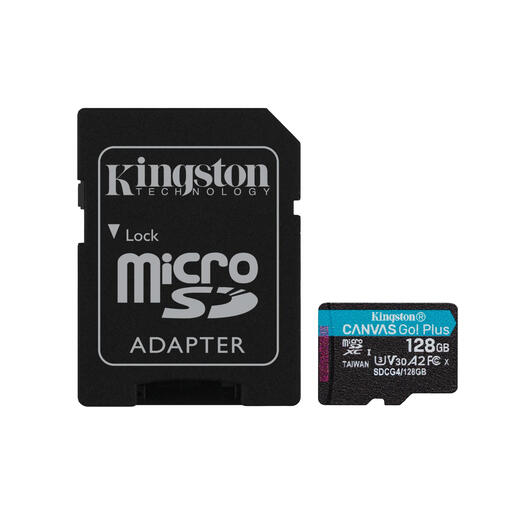
Kingston Technology 128GB MicroSDXC Canvas Go Plus
Why This Fits Their Persona: Perfect for Nintendo Switch owners or mobile gamers looking to expand their storage. The 128 GB offers space for multiple large games, and its performance is geared towards fast loading times.
This card has the A2 classification, which is specifically designed to make apps and games load faster. You won't fall into the trap of a card that only has a high read speed but is slow in practice.
The combination of V30 and A2 makes it versatile. Besides gaming, it's also fast enough for 4K recording with a drone or action cam. Includes an SD adapter for broad compatibility.
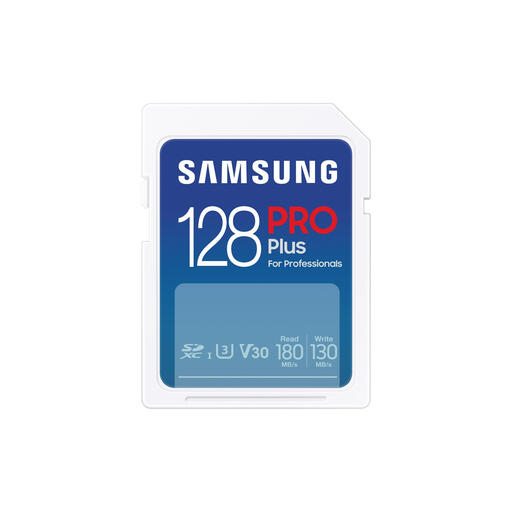
Samsung PRO Plus 128GB SDXC
Why This Fits Their Persona: Designed for (semi-)professional users of DSLR and mirrorless cameras. This camera memory card provides the speed needed for burst photography and stable 4K video recording.
This card focuses on what really matters for content creators: a high, reliable write speed. According to Samsung, the card reaches up to 130 MB/s, well above the V30 standard. This avoids the pitfall of a card that only reads fast.
The high write speed enables rapid photo bursts (burst shooting) without the camera's buffer filling up. The card is a full-size SD card, exactly what most serious cameras require.
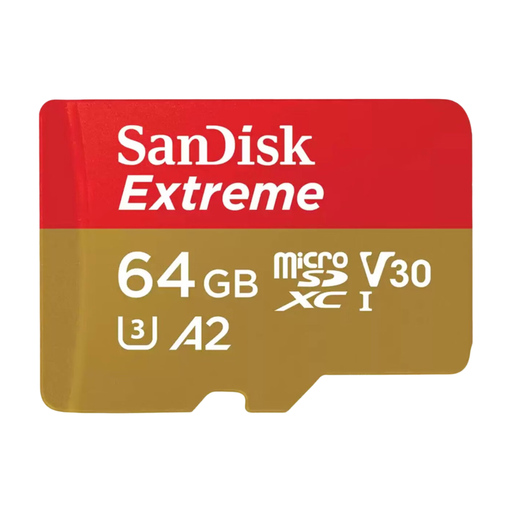
SanDisk Extreme microSDXC 64GB
Why This Fits Their Persona: A solid all-rounder for anyone seeking extra storage for an Android smartphone, tablet, or a basic camera. 64 GB is a great starting point for thousands of photos and hours of Full HD video.
You're not buying a slow, cheap card that will bog down your phone. With both a V30 and A2 rating, this SanDisk card is prepared for most tasks, from app usage to video recording.
A great balance between price, capacity, and performance. The included SD adapter makes transferring files to a laptop simple. A reliable choice for everyday use.
Looking for more options?
We have compiled a complete, up-to-date list of products that fully meet these strict selection criteria and local regulations.
Frequently Asked Questions
How do I format a new memory card?
It is recommended to always format a new card in the device you intend to use it in (e.g., your camera or the Nintendo Switch). This ensures the file structure is optimised for that specific device. You can usually find the option in the settings menu. Always create a backup first if there is already data on the card.
What is the difference between MB/s and Mb/s?
Pay close attention to the capital 'B'. MB/s stands for megabytes per second, while Mb/s stands for megabits per second. There are 8 megabits in 1 megabyte. Manufacturers sometimes use Mb/s because the number looks larger and more impressive. For example, a speed of 160 Mb/s is equivalent to 20 MB/s. The speeds mentioned in this article are in MB/s.
How long does a memory card last?
Modern memory cards from brands like Samsung and SanDisk are very durable and can handle thousands of write cycles. With normal use, they last for many years. Many manufacturers claim their cards are shock, water, and temperature resistant. However, it is always wise to regularly back up important files in case the card is lost or irreparably damaged.