
Buying a Game Controller: A Guide to Avoiding Buyer’s Remorse
Buying a new game controller seems simple—until your model starts acting up after a few months or turns out to be incompatible with your favorite game. Many gamers fall into the same traps: they overpay for features they don't use or, worse, end up with a controller that quickly becomes unusable.
Before you make a decision, it's wise to understand the most common problems:
- The "Stick Drift" Trap: Your character moves on its own, even when you're not touching the joystick. This is often caused by wear and tear on the internal sensors (potentiometers) and is a common defect in many standard controllers.
- Vague Compatibility: A controller is marketed as a "PC controller," but in practice, you need all sorts of third-party software to get it working, or key features like vibration don't function.
- Overhyped Specs: Marketing terms like "ultra-low latency" sound impressive, but the difference is imperceptible to most players. Meanwhile, you're paying a premium for technology that doesn't substantially improve your gaming experience.
This guide will help you navigate these issues and choose a controller that suits your gaming style.
What to Look For When Choosing a Controller
Focus on the specs that actually matter. Three components are crucial for a smart purchase: platform compatibility, joystick technology, and connection options.
1. Platform: What Do You Play On?
Not every controller works with every device. Always check this first.
- PC controller: Most PC games use the XInput standard. Controllers officially licensed for Xbox typically work on Windows without any issues. For other models, you may need to set the input mode manually.
- PS5 controller / Xbox controller: Controllers made specifically for a console offer the best integration and support unique features like the haptic feedback of the PS5 DualSense. They often work on PC as well, but sometimes with limited functionality.
- Switch controller: Besides the official Joy-Cons and Pro Controller, there are many alternatives. If features like motion control (gyroscope) and HD rumble are important to you, verify that they are supported.
- Mobile controller: For gaming on your smartphone or tablet, there are special controllers that clamp onto your phone. Check if the controller fits your phone's dimensions and whether it supports Android, iOS, or both.
2. Joysticks: The Battle Against Stick Drift
The durability of your joysticks is essential. Two technologies dominate this space:
- Potentiometers: This is the traditional technology. Physical contact between components measures movement. Over time, this contact can wear down, leading to the dreaded stick drift.
- Hall effect sensors: A Hall effect controller uses magnets and sensors that make no physical contact. This results in virtually no wear and tear, minimizing the risk of stick drift. Controllers with this technology generally have a much longer lifespan and maintain their precision.
3. Connection: Wireless or Wired?
The choice between a wireless controller and a wired model depends on your preference.
- Wired: Offers a stable connection without having to worry about a dead battery. The input lag is typically negligible. Ideal for competitive gamers who want to leverage every millisecond.
- Wireless (Bluetooth / 2.4GHz): Gives you complete freedom of movement. Bluetooth is convenient for connecting to multiple devices like a PC, Switch, and mobile. A 2.4GHz dongle often provides a more stable connection with lower latency than Bluetooth, making it a popular choice for PC gaming. Pay attention to the battery life.
Our Top Product Recommendations
Below are some popular choices, matched to different types of gamers.
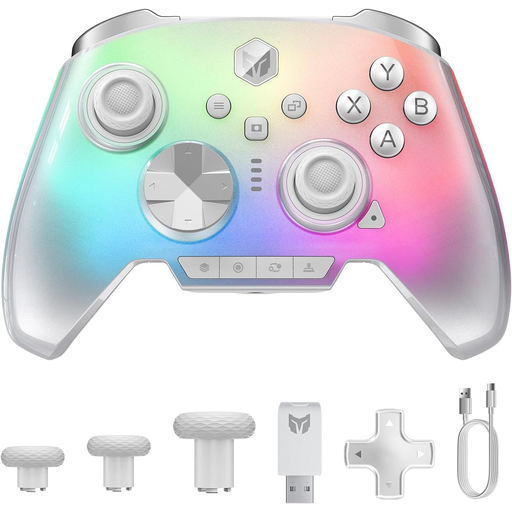
BIGBIG WON Rainbow 3 Wireless Controller
Why This Fits Their Persona: This gamer seeks precision, speed, and durability. The Rainbow 3 is a pro controller that works on PC, Switch, and mobile devices, and is built for performance with customizable buttons and triggers.
The controller features switchable Hall effect triggers and capacitive joysticks, which significantly reduces the risk of stick drift and wear.
High polling rate (2000Hz) for minimal input lag. 16 mechanical buttons for fast and tactile feedback.
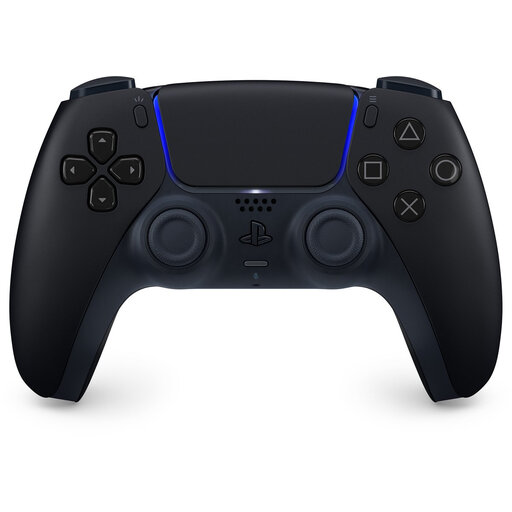
Sony PlayStation PS5 DualSense Wireless Controller
Why This Fits Their Persona: For the PS5 owner who wants the full, developer-intended experience. It also works seamlessly on PC for a growing number of games that support its unique features.
As an official product, compatibility with the PS5 and supported PC games is guaranteed. No hassle with software or non-working features.
Offers unique haptic feedback and adaptive triggers that intensify the gaming experience in supported games.
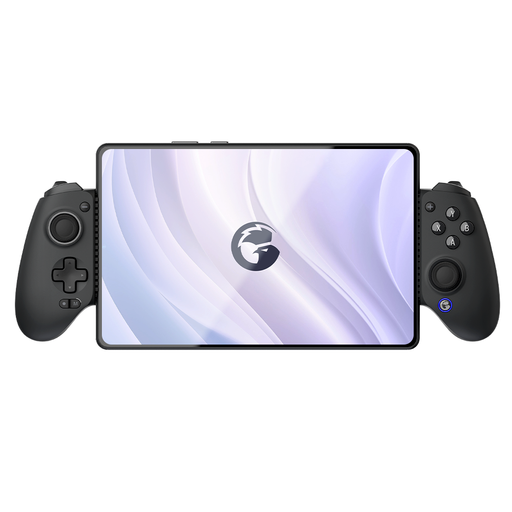
GameSir G8 Galileo Plus mobile game controller
Why This Fits Their Persona: Ideal for those who game seriously on a smartphone (Android/iOS) but also want a controller for Switch and PC. This model turns your phone into a handheld console with full-sized joysticks and buttons.
The G8 Galileo is a Hall effect controller, which minimizes the risk of stick drift. Its broad compatibility is a core feature, not a vague promise.
Multi-platform (Switch, iOS, Android, PC) and an ergonomic design specifically made for mobile gaming.
Looking for More Options?
We have compiled a complete, up-to-date list of products that meet these selection criteria.
Frequently Asked Questions
What is a Hall effect controller and is it worth the extra cost?
A Hall effect controller uses magnets to measure the position of the joysticks and triggers, instead of physical sliding contacts (potentiometers). This prevents the wear and tear that causes stick drift. If you plan to use your controller intensively or have experienced stick drift in the past, a Hall effect model is often worth the investment due to its longer lifespan and lasting precision.
Can I use a PS5 controller on my PC?
Yes, the Sony PS5 DualSense controller can be connected to a PC via Bluetooth or a USB-C cable. Steam offers full support, including configuration of the buttons and light bar. For games outside of Steam, you might need additional software like DS4Windows. A growing number of PC games also support its unique features like haptic feedback and adaptive triggers.
How long does the battery of a wireless controller last on average?
Battery life varies greatly by model and usage. A standard PS5 or Xbox controller lasts an average of 8 to 12 hours on a full charge. Controllers with extra features like RGB lighting or intense vibration functions may have shorter battery life. Third-party models sometimes offer a larger battery capacity, with playtime that can extend to 20 hours or more. Always check the manufacturer's specifications, which often list the capacity in mAh (milliampere-hour).