
Buying an External SSD in 2026: What to Look For?
Choosing an external SSD can feel like navigating a technical minefield. You're looking for speed and reliability, but you're bombarded with specifications. The wrong choice can lead to a slow workflow, compatibility issues, or worse, data loss. This guide will help you find the right portable SSD for your specific needs based on facts, not marketing jargon.
Buyer's Guide: Selecting the Right External SSD
Focus on the following parameters to find a model that aligns with your requirements.
1. Speed and Interface: The USB Standard is Crucial
The speed of an external SSD is largely determined by its USB interface. Pay close attention to the specifications:
- USB 3.2 Gen 2: Offers speeds up to 10 Gbps (approximately 1,000 MB/s). This is more than sufficient for general use, backups, and working with large photos.
- USB 3.2 Gen 2x2: Doubles the speed to 20 Gbps (approximately 2,000 MB/s). This is the standard for a fast external SSD and is ideal for demanding tasks like video editing in 4K/8K or running applications and games directly from the drive.
Please note: To achieve maximum speed, both the SSD and the USB port on your computer, console, or smartphone must support the USB 3.2 Gen 2x2 standard. A USB-C SSD is now the norm, but the underlying standard (Gen 2 or Gen 2x2) determines the actual speed.
2. Storage Capacity: How Much Do You Need?
The required capacity depends on your usage:
- 500 GB - 1 TB: Suitable for transferring documents, photos, and as an expansion for laptops with limited storage. An external SSD 1TB is a popular choice for all-around use.
- 2 TB and up: Essential for professionals. Think of videographers working with large ProRes files, or gamers looking to expand their game library for the PS5. An external SSD 2TB provides significantly more space for demanding projects.
3. Durability and Portability
If you frequently travel with your SSD, build quality and size are important. A rugged SSD with an IP rating (dust and water resistance) and drop protection offers extra peace of mind. Compact, credit-card-sized models fit easily into your pocket or laptop bag.
4. Compatibility
Check if the SSD is compatible with your devices. Most modern SSDs work out of the box (plug-and-play) with Windows, macOS, and Linux. For use with an SSD for Mac, formatting to APFS is sometimes recommended for optimal performance. For the latest iPhones (15 and newer), an external SSD with USB-C is a game-changer for recording video directly.
Our Top Picks for 2026
Below are some recommendations, selected based on their specifications and use cases.
Samsung MU-PG2T0B 2TB USB Type-C 3.2 Gen 2x2
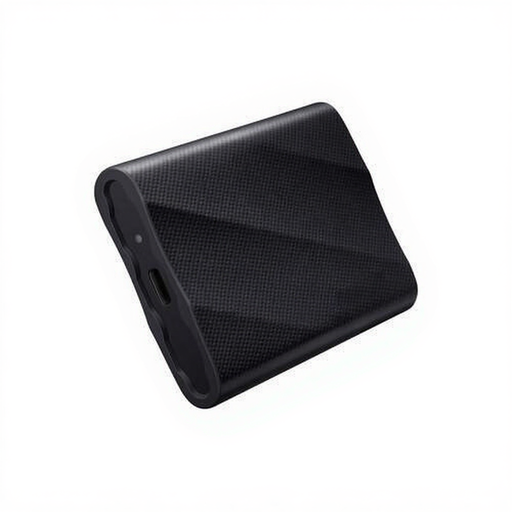
Why We Chose It The Samsung T9 combines extremely high speed with a generous 2 TB storage capacity. Thanks to its USB 3.2 Gen 2x2 interface, this SSD achieves read and write speeds of up to 2,000 MB/s and 1,950 MB/s, respectively. This makes the drive exceptionally well-suited for processing large files quickly.
Advantages
- Speed: Read speed up to 2,000 MB/s and write speed up to 1,950 MB/s.
- Capacity: 2 TB of storage space.
- Ruggedness: Drop-resistant up to 3 meters.
- Security: Features AES 256-bit hardware encryption.
- Compatibility: Works with Windows, macOS, Android, and game consoles.
Who Is It For? This portable SSD is an excellent choice for content creators, IT professionals, and prosumers seeking a reliable and high-speed all-rounder for both backups and intensive workflows like video editing.
DigiEra 1TB Magnetic Portable SSD
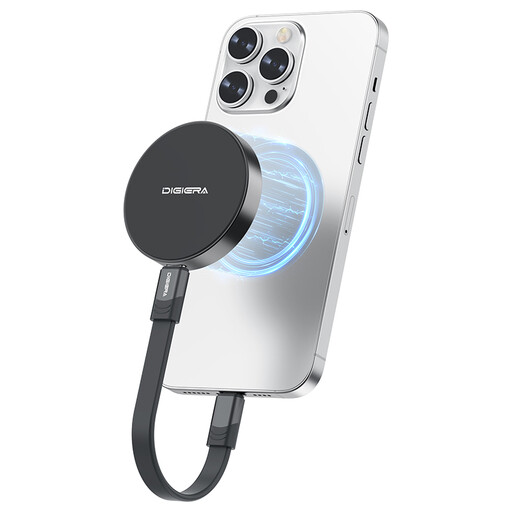
Why We Chose It The DigiEra LPS2000M-1 stands out with its magnetic attachment, specifically designed for the iPhone 15 and 16 series. This allows you to record 4K ProRes video directly onto the SSD. With USB 3.2 Gen 2x2 speeds of up to 2,000 MB/s, it's a powerful tool for mobile filmmakers.
Advantages
- Speed: Read speed up to 2,000 MB/s and write speed up to 1,800 MB/s.
- Unique Feature: Magnetic coupling for stable attachment to compatible iPhones.
- Direct Recording: Supports 4K 60fps ProRes recording (iPhone 15 Pro) and 4K 120fps (iPhone 16 Pro).
- Portability: Extremely lightweight (46 grams) and compact.
- Connectivity: Universal USB-C connection.
Who Is It For? This is the ideal external SSD for content creators who frequently film with their smartphone. The combination of speed, portability, and the magnetic feature provides a seamless workflow for on-location shoots.
Kingston Technology 500G Portable SSD XS2000
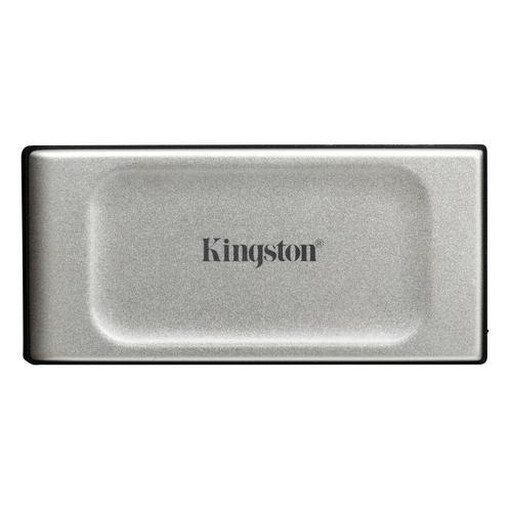
Why We Chose It The Kingston XS2000 is engineered for maximum portability and durability. Despite its extremely compact size, it delivers USB 3.2 Gen 2x2 performance with speeds up to 2,000 MB/s. The IP55 rating and included rubber sleeve make it resistant to water, dust, and drops.
Advantages
- Speed: Read and write speeds up to 2,000 MB/s.
- Form Factor: Extremely compact and lightweight (less than 60 grams).
- Durability: IP55-certified for dust and water resistance.
- Protection: Includes a rubber sleeve for extra drop protection.
- Capacity: Available in various capacities, including this 500 GB model.
Who Is It For? This rugged SSD is perfect for adventurers, field workers, and anyone who needs an ultra-compact yet fast and durable storage solution on the go.
Didn't Find What You Were Looking For?
The right choice heavily depends on your specific requirements for capacity, speed, and budget. If the options above don't fully meet your needs, countless other models are available.
Browse our full assortment in the external drive storage category for more options.
Frequently Asked Questions (FAQ)
1. What is the difference between an external SSD and an external HDD? An external SSD (Solid State Drive) has no moving parts, which makes it much faster, more durable, and more compact than a traditional external HDD (Hard Disk Drive). HDDs often offer more storage for a lower price but are significantly slower and more susceptible to shock.
2. Can I use an external SSD for my PS5? Yes, you can use an external SSD to expand your PS5's storage for PS4 games and to store PS5 games (though not play them directly). To play PS5 games directly from an expansion drive, you need an internal NVMe SSD that meets Sony's specifications. However, a fast external SSD is ideal for quickly transferring games.
3. Do I need a special cable for a fast external SSD? Yes, to utilize the maximum speed of a USB 3.2 Gen 2x2 SSD, you need a cable that supports this standard. The correct USB-C to USB-C cable is typically included. Also, ensure that the port on your computer or device supports this standard; otherwise, the speed will be limited to what the port can handle.