
The 2026 All-in-One PC Guide: Save Space Without Sacrificing Power
A clear desk leads to a clear mind. However, the traditional desktop computer—with its separate tower, monitor, and tangle of cables—often gets in the way. An All-in-One PC (AIO) offers the perfect solution. These computers integrate all components into the monitor, resulting in a minimalist and stylish workspace.
As a Joybuy Product Recommendation Officer, I'm here to help you make the right choice. In this article, we'll explore what to look for when purchasing an All-in-One PC and highlight several popular models for 2026 based on their specifications and use cases.
What to Look for When Choosing an All-in-One Computer?
An AIO PC is a multi-year investment. Therefore, pay close attention to the following specifications to find a model that suits your needs.
1. Display: Size and Sharpness Are Crucial
The display is the most prominent component of a desktop with a built-in screen. Its size and resolution largely determine your user experience.
- Size: A 24-inch screen is a standard size for daily tasks like emailing and browsing the web. If you often work with multiple windows side-by-side or with visual content, a 27-inch All-in-One PC offers significantly more screen real estate and comfort.
- Resolution: Full HD (1920x1080 pixels) is the standard for a sharp image. For graphic design or viewing high-quality media, a QHD display (2560x1440 pixels) can provide a noticeable improvement in detail.
- Touchscreen: Some models offer touchscreen PC functionality, which can be useful for quick navigation or creative applications.
2. Performance: The Engine of Your AIO PC
The internal components determine how fast and smoothly your computer runs. The most important are the processor, memory (RAM), and storage.
- Processor (CPU): An Intel Core i3 or i5 is sufficient for everyday use. For more demanding tasks like photo editing, video conferencing, and intensive multitasking, an Intel Core i5 or i7 (or the newer Ultra series) is a better choice.
- Memory (RAM): 8 GB of RAM is the minimum for a smooth experience. With 16 GB of RAM, you can run multiple programs simultaneously without any lag.
- Storage (SSD): Always opt for a Solid State Drive (SSD). It is many times faster than a traditional hard drive, allowing your Windows 11 All-in-One PC and your programs to boot up quickly. 256 GB is entry-level, but 512 GB or 1 TB will give you more space for files and software.
3. Connectivity and Office Functionality
A good computer for the office or home office needs ample connectivity options. Check if the model has enough USB ports (both Type-A and the more modern Type-C), an HDMI port for a potential second screen, and a stable Wi-Fi connection (Wi-Fi 6 or higher). A high-quality built-in webcam and microphone are essential for video meetings. Brands like Lenovo All-in-One and MSI All-in-One often offer models specifically tailored to these business needs.
Our Recommendations for All-in-One PCs in 2026
Below is a selection of models that stand out for their specifications and design.
MSI Modern AM242TP 1M-1229EU
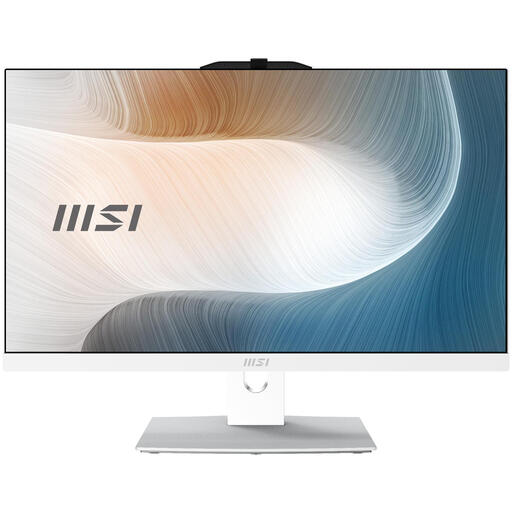
Why this model stands out: The MSI Modern AM242TP combines a sleek, white design with touchscreen functionality, making operation intuitive and fast. With Windows 11 Pro and a compact 23.8-inch screen, this is a versatile choice for a modern home or office workspace.
Specifications:
- Processor: Intel Core 3 100U
- Memory:8 GB DDR5-SDRAM
- Storage:256 GB SSD
- Display: 23.8-inch Full HD (1920 x 1080) Touchscreen
- Operating System: Windows 11 Pro
Who is this for?: This model is ideal for home users, students, and small offices looking for a stylish and functional computer for daily tasks, web browsing, and light productivity.
Lenovo ThinkCentre Neo 50a 27 Gen 5
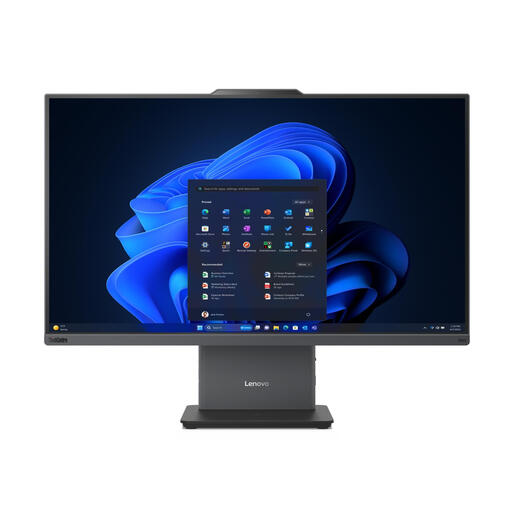
Why this model stands out: This Lenovo is designed with the professional user in mind. The combination of a powerful Intel Core i5 processor, 16 GB of RAM, and a large 27-inch screen makes multitasking effortless. According to Lenovo, the device is optimised for video conferencing, featuring a 5MP camera and AI-supported functions.
Specifications:
- Processor: Intel Core i5-13420H
- Memory:16 GB DDR5-SDRAM
- Storage:512 GB SSD
- Display:27-inch Full HD (1920 x 1080)
- Operating System: Windows 11 Pro
Who is this for?: Professionals and SMBs who need a reliable and powerful computer for the office. It's a solid choice for productivity, data processing, and frequent video calls in a hybrid work environment.
Lenovo Yoga AIO 27IAH10
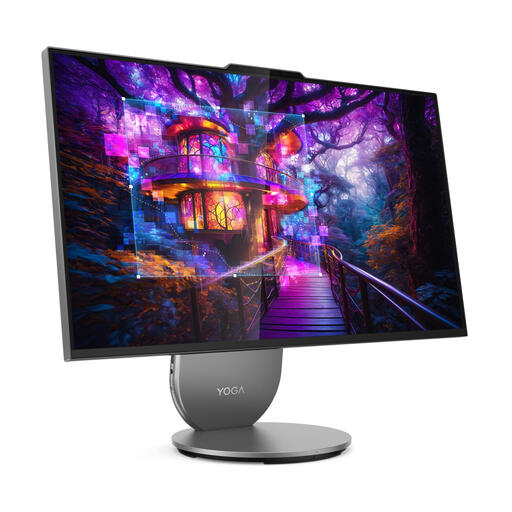
Why this model stands out: The Lenovo Yoga AIO 27IAH10 targets the demanding user. Its highlight is the brilliant 27-inch Quad HD display, which renders images with extra sharpness and detail. Combined with the powerful Intel Core Ultra 7 processor and a spacious 1 TB SSD, this is a workstation suitable for demanding applications, from creative software to entertainment.
Specifications:
- Processor: Intel Core Ultra 7
- Memory:16 GB LPDDR5x-SDRAM
- Storage:1 TB SSD
- Display: 27-inch Quad HD (2560 x 1440)
- Operating System: Windows 11 Home
Who is this for?: Creative professionals, data analysts, and users looking for a premium all-in-one experience for both work and leisure. Its superior display makes it an excellent choice for photo and video editing.
Complete Your Home Office or Entertainment Corner
A fast computer is the foundation, but a stable internet connection is just as crucial for a smooth online experience. Whether you're streaming, gaming, or video conferencing, the right connection makes all the difference.
Check out our internet & TV bundle to complete your setup.
Frequently Asked Questions about All-in-One PCs
What is the biggest advantage of an All-in-One PC?
The main advantage is its space-saving and minimalist design. Because the computer and monitor are integrated into a single housing, you have significantly fewer cables and more free space on your desk. Additionally, setup is often simpler than with a traditional desktop.
Is an AIO PC a good choice for business use?
Absolutely. Many models are specifically designed for a professional environment. Look for features like Windows 11 Pro for advanced management and security, a powerful processor (Intel Core i5 or higher), and a high-quality webcam. Models like the Lenovo ThinkCentre are a prime example of this.